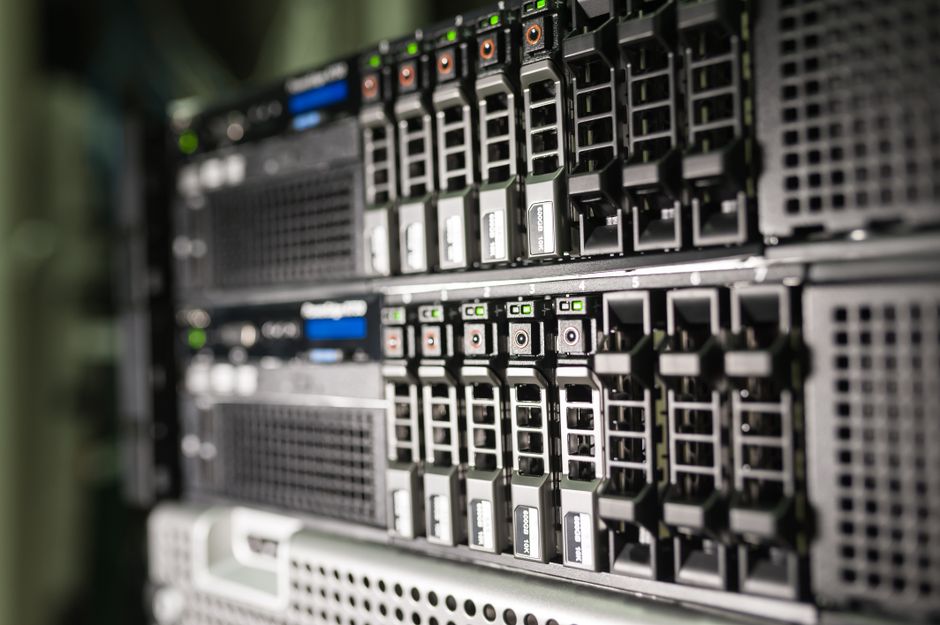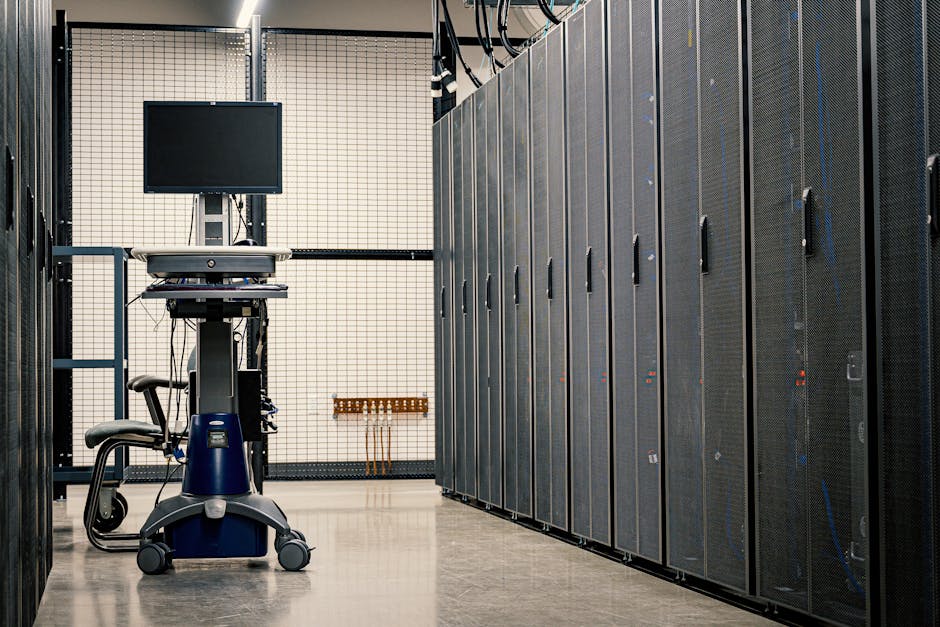
Running your own data center used to be a symbol of IT maturity. Today, it may be a liability. Third-party data center facilities and services, including colocation, cloud, hosting, and SaaS providers, now account for 46% of IT workloads in 2026, edging past the 44% residing in enterprise-owned corporate data centers. This is the first time in the history of Uptime Institute’s annual survey that third-party venues have held the larger share. That shift has a name: Data Center as a Service, or DCaaS. For many organizations, it represents a smarter way to run infrastructure. For others, it is the wrong move entirely. This guide explains exactly what DCaaS is, what it costs, and how to decide whether it could replace your on-premises setup.
Key Takeaways
- DCaaS converts infrastructure from a capital expense to a subscription: DCaaS provides on-demand data center infrastructure, fully managed compute, storage, networking, power, and cooling, delivered via an OpEx-friendly subscription model. If your balance sheet is strained by hardware cycles, this model is worth a close look.
- The market is growing fast, signaling strong industry confidence: The DCaaS market was valued at USD $159.6 billion in 2025 and is expected to reach USD $1,400.6 billion by 2035, growing at a CAGR of 24.24%. Adoption at this scale means vendor maturity, competitive pricing, and proven SLAs, all good signs for buyers.
- Staffing pressure makes self-managed data centers harder to justify: The 2025 Uptime Institute Annual Global Data Center survey found that two-thirds of data center companies struggle to hire and/or retain qualified staff. If you cannot staff the facility reliably, outsourcing the management layer makes practical sense.
- On-premises still wins for some workloads: On-premises data centers may be preferable for businesses with highly specific technical needs or those handling sensitive data subject to strict regulatory compliance. DCaaS is not a universal replacement; it is a strategic alternative.
- Total cost of ownership, not monthly price, is the right comparison metric: Large data center operations typically spend $10 million to $25 million per year on ongoing maintenance and power systems, while mid-sized facilities generally spend $200,000 to $500,000 annually. Run that comparison against a DCaaS subscription before making a decision.
Quick-Start Prioritization Framework
| Strategy | Best For | Effort Level | Time to Results |
|---|---|---|---|
| Full DCaaS migration | Growing companies hitting infrastructure limits | Medium | 30-90 days |
| Hybrid DCaaS + on-premise | Enterprises with compliance-sensitive workloads | High | 60-180 days |
| DCaaS for non-critical workloads only | Organizations testing the model before committing | Low | 14-30 days |
| Stay on-premises with managed services overlay | Companies with recent CapEx investment | Low | Immediate |
| Colocation as a stepping stone | Businesses wanting control over hardware but not facilities | Medium | 30-60 days |
Start here if you are:
- A small or mid-sized business: Full DCaaS migration delivers fastest ROI. You eliminate hardware procurement, cooling management, and specialist hiring in one move.
- An enterprise with mixed workloads: The hybrid approach lets you keep regulated or latency-sensitive workloads on-premise while offloading the rest to a DCaaS provider.
- Unsure about commitment: Start with DCaaS for non-critical applications only. Run a 90-day cost and performance comparison before expanding scope.
What DCaaS Is (and What It Is Not)
The Core Definition
Data Center as a Service is the provision of off-site physical data center facilities and infrastructure to clients. Clients rent or lease access to the provider’s data center, using the servers, networking, storage, and other computing resources owned by the DCaaS provider. The key distinction from simply buying cloud compute is that DCaaS provides access to actual physical infrastructure, not just virtualized instances running on someone else’s software stack.
DCaaS sits between standard colocation and Infrastructure as a Service (IaaS) or Platform as a Service (PaaS) products. With DCaaS, organizations contract for core data center components, physical space, power and cooling, network infrastructure, and servers and storage, all housed in a professionally managed facility. Think of it as getting the benefits of an enterprise-grade data center without owning or operating the building.
What Gets Included in a DCaaS Package
The key pillars of DCaaS transform bare-metal infrastructure into a fully managed, on-demand service. These typically include automated provisioning through Infrastructure as Code, round-the-clock threat detection through managed security, carrier-neutral network fabrics, and instant API-driven capacity expansion.
In practice, a DCaaS subscription from a reputable provider covers:
- Compute (servers, processing power)
- Storage (block, file, and object storage)
- Networking (WAN connectivity, firewalls, load balancers)
- Physical facility management (power, cooling, physical security)
- Monitoring and incident response
- Hardware refresh cycles
DCaaS is a consumption-based subscription service that allows organizations to access and utilize compute, storage, and network resources. By allowing you to pay only for what you need, it provides a flexible and scalable solution that enables organizations to manage costs, increase agility, and mitigate risks associated with data center management.
How DCaaS Differs from Colocation
This distinction matters when evaluating providers. DCaaS provides access to servers as a managed service, whereas with colocation, customers must provide their own servers. This is the main differentiator between DCaaS and colocation. In colocation, you ship your hardware to the provider’s data center, and they provide the rack, power, and connectivity. In DCaaS, the hardware belongs to the provider, and you simply consume it as a service.
Pro Tip: If you already own significant server hardware that has useful life remaining, colocation may be the smarter short-term move. DCaaS pays off most clearly when you are facing a hardware refresh cycle and want to avoid the capital outlay.
The Real Cost of Running Your Own Data Center
Capital Expenditure: The Upfront Problem
Constructing a data center is a significant investment, with costs typically ranging from $600 to $1,100 per square foot. This investment is primarily driven by critical components such as electrical systems, HVAC, and land. The average expenditure per megawatt of power capacity is approximately $7 million to $12 million. For most small and mid-sized businesses, those numbers make new construction economically indefensible. Even a modest server room is not cheap once you account for redundant power systems and cooling infrastructure.
Operational Expenditure: The Ongoing Drain
The capital outlay is only part of the story. Energy consumption represents the largest operational expense, typically accounting for 60-70% of total costs. Cooling systems alone consume 30-55% of this power, averaging around 40% in most facilities. Add staffing, and you have a budget line that compounds annually with no ceiling in sight.
Maintenance and electricity account for about 40% and 15-25% of ongoing costs, respectively. If your data center is operating below peak utilization, which is common for organizations that build for projected future demand, you are paying for capacity you are not using. A DCaaS subscription charges only for what you actually consume, so a direct cost comparison will often favor the outsourced model.
The Staffing Crisis Makes It Worse
Even if you can afford the hardware and the electricity, finding people to run the facility has become a serious operational risk. The Bureau of Labor Statistics projects 340,000 data center positions will remain unfilled without major intervention, while the Uptime Institute’s 2025 Staffing and Recruitment Survey found that nearly two-thirds of operators report difficulty retaining staff, finding qualified candidates, or both. That staffing gap directly raises your operational risk. A DCaaS provider absorbs that burden entirely, their staffing problem, not yours.
The Benefits of DCaaS: Where It Genuinely Delivers
Scalability Without the Lead Times
DCaaS inherently addresses scalability by abstracting physical infrastructure into fluid, on-demand services. Rather than forecasting peak capacity years in advance or overinvesting in idle hardware, organizations can spin up additional compute nodes, storage arrays, or entire rack blocks within hours or days and just as easily scale them down when demand subsides.
This is a meaningful operational advantage. On-premise scaling typically requires procurement cycles, physical installation, and power provisioning that can take months. DCaaS makes scaling a configuration decision rather than a construction project.
Predictable, Manageable Costs
DCaaS is a pay-as-you-go model, which makes it easier to control monthly expenses than managing an on-premises data center where you own and operate the infrastructure. Predictability matters to finance teams. When infrastructure costs are fixed and clearly itemized on a monthly invoice rather than buried in depreciation schedules, CapEx planning becomes simpler.
Like cloud services, DCaaS operates on a consumption-based subscription model but offers clearer insight into operational costs. Rather than fully transitioning to operational expenditures as with cloud services, DCaaS allows you to balance capital and operational expenses according to your unique infrastructure needs. That flexibility is valuable for organizations that still want some CapEx treatment for accounting purposes.
Access to Enterprise-Grade Compliance and Security
DCaaS providers have extensive experience and expertise in adhering to regulatory frameworks and standards. They can work with you to interpret and implement the necessary measures that ensure compliance. For businesses in regulated industries, healthcare, finance, government, working with a provider that already maintains SOC 2, HIPAA, and PCI DSS compliance can be faster and cheaper than building those controls in-house.
Pro Tip: When evaluating a DCaaS provider, ask specifically which compliance certifications they hold and request the most recent audit reports. A reputable provider will share these without hesitation. If they are slow to produce documentation, that is a red flag worth taking seriously.
Where On-Premise Still Wins
Latency-Sensitive and Mission-Critical Workloads
Some applications require low latency for optimal performance, making reliance on distant data centers hosting cloud services difficult. DCaaS provides a solution by allowing organizations to maintain their existing infrastructure while benefiting from managed services and scalability. Real-time trading systems, industrial control applications, and certain machine-learning inference workloads may still justify dedicated on-site infrastructure. When microseconds matter, geography matters.
Regulatory Data Sovereignty Requirements
On-premise allows companies to have full control over their data and who has access to their systems. You get to decide when and how to modify, update, or expand. This is particularly beneficial for organizations with valuable, proprietary assets or sensitive customer information that must be handled in accordance with strict compliance regulations.
Some jurisdictions require that specific classes of data never leave a physical location the organization controls. In those cases, DCaaS cannot be the sole solution. A hybrid model, on-premise for regulated data, DCaaS for everything else, is typically the right answer.
Recent CapEx Investment
For organizations with predictable workloads or significant investments in on-premises infrastructure, DCaaS offers a balanced approach, enabling them to outsource data center management while retaining control over their infrastructure. If you refreshed your hardware within the last two years, migrating to DCaaS before that investment is amortized is difficult to justify financially. A managed services overlay on your existing environment may be the smarter transitional step.
Pro Tip: Use a Total Cost of Ownership (TCO) model, not a line-item price comparison, when evaluating DCaaS against your current setup. Factor in staff time, energy costs, hardware refresh cycles, and the opportunity cost of your IT team managing infrastructure rather than driving business outcomes.
DCaaS vs. IaaS vs. Colocation: Choosing the Right Model
Understanding where DCaaS fits within the broader infrastructure landscape helps you make a clearer decision.
| Model | Who Owns the Hardware | Who Manages It | Best Use Case |
|---|---|---|---|
| On-premise | You | You | Full control, highly regulated data |
| Colocation | You | Shared (facility by provider, servers by you) | Hardware investment still relevant |
| DCaaS | Provider | Provider | Full outsourcing, OpEx preference |
| IaaS (cloud) | Provider | Provider (fully virtualized) | Elastic, software-defined workloads |
If an organization needs to manage on-premises hardware and virtual or cloud infrastructures, they may want to consider a hybrid solution that uses IaaS for some IT operations and DCaaS for others. This allows organizations to leverage IaaS scalability while maintaining control over critical applications through DCaaS. Combined, these services can optimize performance, enhance security, and increase flexibility.
Pros (DCaaS):
- No upfront capital expenditure on hardware or facilities
- Predictable monthly subscription costs
- Built-in hardware refresh cycles managed by the provider
- Access to enterprise security and compliance certifications
- Elastic scaling without procurement lead times
- Staffing burden shifts to the provider
Cons (DCaaS):
- Less physical control over hardware and data location
- Dependency on provider uptime and WAN connectivity
- May be more expensive than on-premise at very high, stable utilization rates
- Contract lock-in can limit flexibility to switch providers
- Not suitable for extreme latency requirements or strict data sovereignty mandates
How Datacate Fits Into This Picture
For organizations evaluating DCaaS options, provider selection matters as much as the model itself. Datacate delivers managed infrastructure solutions designed for businesses that need enterprise-grade reliability without the overhead of running their own facility. If you are working through an on-premises-to-DCaaS transition and need a partner with deep operational expertise, Datacate is worth including in your evaluation.
By outsourcing to a service provider, companies can address logistical and budgetary challenges associated with their on-site data centers. Many businesses rely on DCaaS to remedy the physical limitations of their on-site infrastructure, or to offload the hosting and management of non-mission-critical applications. A provider that understands your specific workload mix and can document their SLA track record is the differentiator in a market growing this rapidly.
Frequently Asked Questions
What is DCaaS in simple terms?
DCaaS is a business model where organizations rent computing resources, storage, and networking infrastructure from a third-party data center provider. This allows businesses to scale their IT infrastructure according to their needs without investing in the physical components upfront. In everyday language, it means you pay a monthly fee for data center infrastructure rather than buying and running it yourself.
How much does DCaaS typically cost compared to on-premise?
Costs vary significantly by provider, workload size, and SLA requirements. What is clear is that on-premise is not cheap: large data center operations typically spend $200,000 to $500,000 annually for mid-sized facilities, while small server rooms integrated into office spaces can cost $50,000 to $100,000 per year to maintain. A DCaaS subscription for equivalent capacity will often come in below those figures once you include the staff, energy, and hardware refresh costs that on-premise requires.
Is DCaaS the same as cloud computing?
They are related but distinct. While with both IaaS and DCaaS you still rent servers, storage, and networking, IaaS and PaaS are completely virtualized. The underlying hardware is a question of software partitioning, and the service provider manages every layer up to the platform or operating system. DCaaS typically provides access to dedicated physical hardware, whereas public cloud provides shared, virtualized compute resources. That difference matters for performance-sensitive and compliance-sensitive workloads.
Can DCaaS support disaster recovery and business continuity?
Yes, and this is one of its strongest use cases. DCaaS enables organizations to focus on their core business activities while a third-party provider handles data center infrastructure concerns such as maintenance, security, and disaster recovery. Providers typically maintain geographically distributed infrastructure with built-in redundancy, which means your disaster recovery capability is inherent to the service rather than something you must build and test separately.
What industries benefit most from DCaaS?
The rising demand for DCaaS is mainly driven by the need to implement digital transformation initiatives while cutting costs and reducing infrastructure complexity across diverse industries, including BFSI, healthcare, IT and telecommunications, retail, manufacturing, and government. Any sector facing rapid data growth, compliance pressure, or difficulty staffing IT infrastructure roles stands to benefit. Government agencies were among the early adopters precisely because the CapEx-to-OpEx shift simplified budget approval processes.
The Bottom Line
DCaaS is a mature, rapidly growing model that makes genuine economic sense for a wide range of organizations. Uptime Institute expects the gap between third-party and on-premises workloads to widen to 48% from 42% by 2028, though enterprise facilities will remain a key part of hybrid IT strategies, with security and regulatory requirements continuing to keep many workloads on-premises. The smartest approach for most businesses is not a binary choice; it is a deliberate workload-by-workload evaluation. Start with non-critical systems, run the TCO numbers honestly, and scale your DCaaS footprint as confidence grows.
If your team is spending more time managing infrastructure than building products, that is a reliable signal that the balance has tipped. A conversation with Datacate about your current environment is a practical next step.
Sources
- Data Center as a Service Market Size Report 2026-2035, SNS Insider. DCaaS market valuation, growth projections and CAGR. https://www.snsinsider.com/reports/data-center-as-a-service-market-6124
- Data Center as a Service 2025, Azura Consultancy. DCaaS definition, components, and OpEx model overview. https://www.azuraconsultancy.com/data-center-as-a-service/
- What is Data Center as a Service? TechTarget/WhatIs.com. Core definition and use-case drivers. https://www.techtarget.com/searchdatacenter/definition/data-center-as-a-service-DCaaS
- Data Center as a Service, DevX. DCaaS services, components, and business model. https://www.devx.com/terms/data-center-as-a-service/
- Data Center Operating Costs: Complete Guide 2026, The Network Installers. Annual cost ranges for data center operations by size. https://thenetworkinstallers.com/blog/data-center-operating-costs/
- Cost of a Data Center, BlueCap Economic Advisors. CapEx and OpEx breakdown for data center ownership. https://www.bluecapeconomicadvisors.com/post/cost-of-a-data-center
- Data Center as a Service vs. Colocation: Key Similarities and Differences, Data Center Knowledge. DCaaS vs colocation model comparison. https://www.datacenterknowledge.com/colocation/data-center-as-a-service-vs-colocation-key-similarities-and-differences
- DCaaS Offers Cost-Efficiency, Control for Local Government Agencies, StateTech Magazine. Pay-as-you-go benefits and government use cases. https://statetechmagazine.com/article/2024/10/dcaas-offers-cost-efficiency-control-local-government-agencies
- DCaaS Solves Higher Education’s IT Infrastructure Challenges, EdTech Magazine. DCaaS components and comparison with IaaS/PaaS. https://edtechmagazine.com/higher/article/2026/01/data-center-service-solving-higher-education-it-infrastructure-challenges-perfcon
- The Data Center Staffing Crisis, Per Scholas Tech Talent Solutions. 2025 Uptime Institute staffing survey findings. https://enterprise.perscholas.org/the-data-center-staffing-crisis-the-hidden-bottleneck-to-ai-growth/
- 340,000 Unfilled Data Center Jobs Threaten AI Boom, Introl Blog. BLS projections and Uptime Institute staffing survey data. https://introl.com/blog/data-center-workforce-shortage-340000-unfilled-positions-2026
- Most Corporate IT Is Off-Premises, Network World. Uptime Institute 2026 Global Data Center Survey findings on workload distribution. https://www.networkworld.com/article/4203054/most-corporate-it-is-off-premises-ai-is-reshaping-infrastructure-uptime-reports.html
- How Much Does It Cost to Operate a Data Center?, Opsio Cloud. Energy and cooling cost percentages for on-premise facilities. https://opsiocloud.com/blogs/how-much-does-it-cost-to-operate-a-data-center/
- The Business Benefits of DCaaS vs. IaaS, Data Center Dynamics. Hybrid model use cases and cost efficiency analysis. If an organization needs to manage
- What Is Data Center as a Service? Insight. DCaaS WAN access, scalability, and provider customization. By outsourcing to a service
- DCaaS: The Cost-Effective Choice for Data Center Solutions, FS.com. CapEx/OpEx balance and consumption-based billing model. https://www.fs.com/blog/dcaas-the-costeffective-choice-for-data-center-solutions-14817.html
- On-Premise Data Center vs. Colocation: Pros and Cons, Park Place Technologies. Control, compliance, and workload considerations for on-premise facilities. On-Premise Data Center vs. Colocation: Pros and Cons