The digital economy runs on physical space, and that space has never been more contested. In 2025, colocation vacancy in North America declined to a new all-time low of 1.4%, as AI and hyperscale occupiers raced to secure power and capacity. If your organization is making decisions about data center space right now, whether you’re choosing a colocation facility, planning a migration, or evaluating healthcare-grade security, the stakes couldn’t be higher. A wrong move means overpaying, under-protecting, or locking your infrastructure into a facility that can’t grow with you.
This guide covers everything a general audience needs to understand about data center space: how to evaluate it, how to secure it, how to avoid costly outages, and how to ensure the ROI you’re actually paying for. Whether you’re exploring a Sacramento data center for the first time or revisiting your colocation strategy mid-growth, this is the framework you need.
Key Takeaways
- The market is tightening fast: According to CBRE’s North America Data Center Trends reports, vacancy rates in primary markets have dropped from 3.3% in 2023 to under 2% in 2025, with pre-leasing activity signaling these conditions will persist through 2026. Therefore, start your colocation search 6 – 12 months earlier than you think you need to.
- Outages are preventable – most of the time: According to Uptime’s 2025 report, 58% of human error-related outages were caused by staff failing to follow established procedures, a significant jump up from 48% the year prior. Therefore, documented runbooks and staff training matter as much as redundant hardware.
- Security theater is a real risk: it often fosters a false sense of safety by relying on visible but ineffective measures, creating the appearance of protection without tackling real risks. Therefore, ask your provider for third-party certifications, not just a badge reader and a camera.
- Healthcare data center compliance is non-negotiable: The facility you choose becomes part of your HIPAA compliance framework, and your provider’s controls (or lack thereof) directly affect your regulatory exposure. Therefore, verify SOC 2 Type 2 reports and signed Business Associate Agreements before signing any contract.
- PUE directly impacts your ROI: The ideal PUE is 1.0, but the industry average sits around 1.55, leading hyperscalers have pushed this down to 1.2 through rigorous optimization. Therefore, if your provider’s PUE is above 1.6, you’re likely overpaying for power overhead.
Quick-Start Prioritization Framework
Before diving into the details, use this table to identify where to focus first based on your organization’s profile.
| Strategy | Best For | Effort Level | Time to Results |
|---|---|---|---|
| Colocation evaluation checklist | First-time buyers, SMBs | Low | 1 – 4 weeks |
| PUE and power optimization audit | Existing facilities, cost-focused teams | Medium | 2 – 6 weeks |
| Multi-layer security implementation | All organizations | Medium-High | 1 – 3 months |
| Healthcare/HIPAA compliance buildout | Healthcare orgs, regulated industries | High | 3 – 6 months |
| Disaster recovery & redundancy planning | Mission-critical operations | Medium | 4 – 8 weeks |
| Data center compliance guide alignment | Enterprises, government tenants | High | Ongoing |
Start here if you’re:
- A small or mid-size business exploring colocation for the first time: Begin with the colocation evaluation checklist – fastest ROI, lowest upfront effort.
- A healthcare organization: Jump straight to the HIPAA compliance section. Your liability exposure begins the moment you select a facility.
- An enterprise optimizing existing infrastructure: Focus on PUE audits and security posture reviews – these deliver measurable financial returns within quarters, not years.
Data Center Basics: What You’re Actually Buying
The Physical Foundation
At its core, a data center is a facility that houses the physical infrastructure your digital operations depend on. A data center is a facility that houses IT infrastructure, including servers, storage, networking equipment, and applications, responsible for managing vast amounts of data, both structured and unstructured, at high speeds and low latency.
When you choose colocation – renting space rather than building your own facility – the provider manages the physical environment while you manage your equipment. With colocation, organizations place their servers and IT equipment in a third-party data center facility, while the colo provider is responsible for the physical security, power, cooling, and network connectivity of the environment. Think of it as renting a premium office suite rather than constructing a building: you focus on your business, and the landlord handles the HVAC, fire suppression, and locks.
Understanding Data Center Tiers
Not all data center space is equal. The Uptime Institute’s Tier Classification System defines four levels of redundancy and availability you need to understand before signing a lease:
- Tier I – Basic capacity; allows up to 28.8 hours of downtime per year with no redundancy requirement. Suitable for development or non-critical workloads.
- Tier II – Adds redundant components for partial fault tolerance.
- Tier III – Concurrent maintainability; the practical standard for most enterprise workloads.
- Tier IV – Fault-tolerant; allows up to 26.3 minutes of downtime per year with full 2N+1 redundancy and a minimum of 96 hours of power outage protection.
Pro Tip: Most businesses over-specify their tier requirements. A Tier III facility is the sweet spot for organizations that need high availability without Tier IV pricing. If you’re running non-revenue-generating workloads, Tier II saves budget without meaningful risk.
Colocation Types: Retail, Wholesale, and Hybrid
Colocation facilities come in three main types: retail, wholesale, and hybrid cloud. Retail colocation involves customers leasing smaller spaces, such as individual racks or cages, within a data center, ideal for businesses that need a smaller footprint while still benefiting from a professionally managed environment. Wholesale colocation allows tenants to lease larger spaces at more economical rates, though it typically requires higher power and space commitments.
Colocation pricing is typically segmented into three categories based on deployment size: Retail (≤250 kW) carries the highest per-unit pricing; Wholesale (250 kW to 4 MW) offers mid-tier pricing for medium to large requirements; and Hyperscale (≥4 MW) offers the lowest per-unit pricing due to scale, typically requiring 10 – 15 year commitments.
How to Evaluate Data Center Space: The 6-Factor Framework
Factor 1 – Location and Latency
Location influences nearly every technical and operational outcome in colocation, shaping how quickly data travels between users and applications, how well your environment withstands regional disruptions, and how effectively you can meet regulatory expectations.
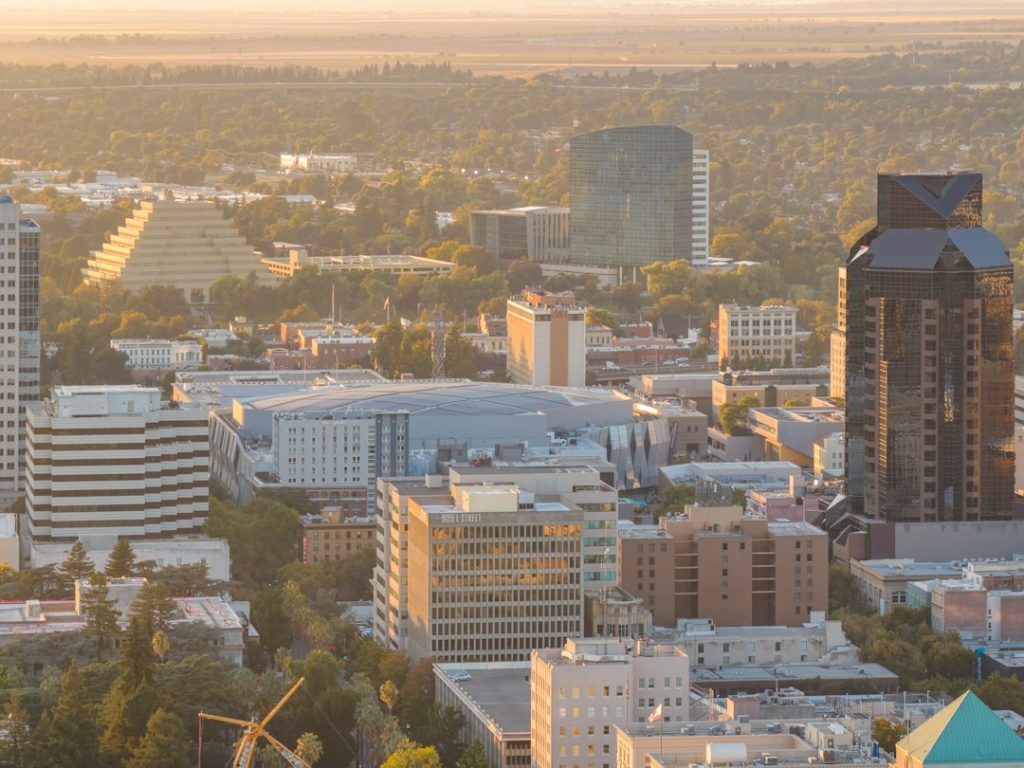
For example, a data center in the Sacramento metro offers a compelling combination of geographic stability and connectivity for California organizations. Sacramento electricity remains relatively affordable, with SMUD’s projected 2025 system average at 17.28¢/kWh, while its average rate for large commercial users above 1,000 kW is 12.75¢/kWh. That’s meaningfully below rates in San Jose or San Diego, making the Sacramento data center market a financially sound alternative to Bay Area colocation for many California businesses.
SMUD’s power supply was about 62% carbon-free in 2024, and its 2030 Zero Carbon Plan remains in place, giving Sacramento colocation facilities access to a cleaner power mix while keeping electricity costs more competitive than in some nearby California markets.
Factor 2 – Power Redundancy and Capacity
Power is the single most critical variable in data center selection. Power failures accounted for 36% of the biggest global public service outages tracked by Uptime Institute since January 2016. That statistic should drive every power-related decision you make.
Ask your prospective provider these questions:
- What is the facility’s rated critical IT load (in kW or MW)?
- What is the UPS configuration: N+1, 2N?
- What is the generator runtime under full load?
- Are there dual utility feeds from separate substations?
Factor 3 – Cooling Architecture and PUE
Most facilities track Power Usage Effectiveness (PUE) as their north star metric – it’s simple: total facility energy divided by IT equipment energy. The ideal PUE is 1.0, but the industry average sits around 1.55. A facility with a PUE of 1.6 means that for every watt delivered to your servers, another 0.6 watts is consumed by cooling, lighting, and building overhead. Over a multi-year contract, that overhead is significant.
A data center with a low PUE typically has optimized cooling and power distribution, which helps keep critical IT equipment running under stable conditions, reducing the risk of downtime or outages caused by overheating or power stress.
Pro Tip: Always ask a colocation provider for their actual measured annual PUE, not a design target. Facilities frequently quote design PUE, which can be 15 – 20% better than operational reality. Request the last 12 months of metered data.
Factor 4 – Connectivity Ecosystem
Evaluate the provider’s network ecosystem: how many carriers operate in the facility, whether direct connections to major cloud platforms are available, and whether you can establish cross-connects to reach partners or cloud on-ramps. A carrier-neutral facility offers competitive bandwidth pricing and the ability to switch providers without relocating your hardware. This is a major long-term cost control lever that many first-time buyers overlook.
Factor 5 – Security Certifications
If your organization operates in a regulated industry, your colocation provider’s certifications matter. Look for SOC 2 Type II reports and verify certifications relevant to your industry, such as HIPAA for healthcare, PCI DSS for payment processing, and FedRAMP for government work.
Factor 6 – Scalability
Consider whether the building itself will suit your needs over a long enough period. Ask how rapidly the facility is filling up – and extrapolate by asking about any plans the colocation provider has for expansion to deal with possible overspill. The last thing you want is to migrate again in 24 months because your provider ran out of space.
Data Center Security: Beyond the Badge Reader
What Real Security Looks Like vs. Security Theater
In my experience, one of the most misleading things organizations do is confuse visible security with effective security. The most significant difference between real cybersecurity and security theater lies in their approaches. Real cybersecurity relies on an empirical, evidence-forward approach – while security theater measures focus more on flashy tools and technology that make people feel safe without actually protecting employees, sensitive data, and network infrastructure.
This matters enormously when evaluating data center security. A provider can have impressive-looking cameras, badge-access doors, and an imposing reception desk, and still lack the documented procedures, tested incident response plans, and third-party validation that constitute real protection.
The Multi-Layer Security Model
Key components of genuine data center security include physical security measures like access control and surveillance, network security with firewalls and intrusion detection systems, and data protection through encryption and robust backup systems. Data center security requires a multi-layered approach, including physical security measures, network security to protect against cyberattacks, data protection through encryption and backups, environmental controls, and adherence to relevant compliance standards.
For physical security, best-in-class facilities implement:
- Perimeter security: Facilities include best practices such as eight-foot perimeter fencing and 24/7 video surveillance with high-resolution exterior cameras providing a 360-degree view.
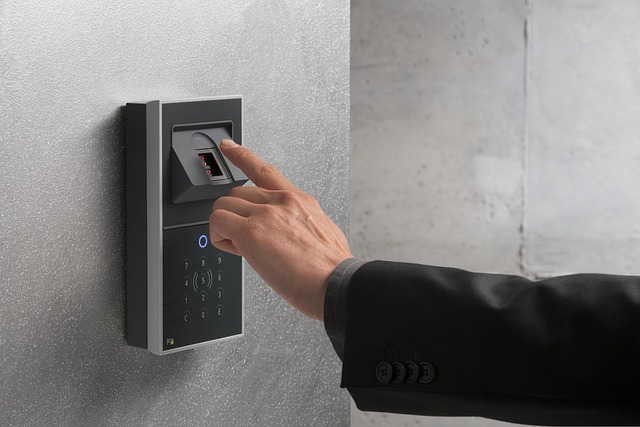
- Access control: Clearly defined security zones (public/reception, controlled areas, white space, critical M&E, network rooms, loading bays) with two-step access for critical zones – such as badge + biometric, or badge + PIN – with anti-passback where appropriate.
- Mantraps: Controlled entry systems that prevent tailgating and allow security personnel to visually verify each entrant.
The Cybersecurity Layer
Physical locks are only one half of the equation. If your cooling, power distribution, building management system (BMS), or access control is connected, it is part of your cyber attack surface and your business continuity plan. This is a critical insight that many facility managers miss: operational technology (OT) systems are now targets, not just IT systems.
The most reliable defense for data centers is the relentless execution of cybersecurity essentials, integrated with layered physical security and risk-based controls. With limited resources and AI-driven threats, disciplined operations, iterative hardening, and targeted investments deliver the strongest protection and resilience.
The data breach cost stakes are real: IBM’s latest published Cost of a Data Breach report (2025 edition) puts the global average at USD 4.44 million and the U.S. average at USD 10.22 million. If your data center security investment isn’t sized against that risk, you’re probably underspending where it matters most.
Pro Tip: When touring a prospective data center facility, ask to see their most recent SOC 2 Type 2 audit report. If they can’t provide it, or if it’s more than 12 months old, treat it as a red flag. A data center tour should include a full walk-through of physical access control points, not just the lobby.
How to Secure a Data Center: An Actionable Checklist
Securing a data center colocation means addressing the following systematically:
- Identity hardening – Implement multi-factor authentication on all remote access paths. Verizon reports only ~54% of edge/VPN vulnerabilities were fully remediated across the year, so measure completion, not intent.
- Network segmentation – Isolate critical systems and limit lateral movement of attackers.
- Immutable backups – Protect against ransomware with write-once backup systems and regular restore tests at a realistic scale.
- Continuous monitoring – Monitor security events across all data center components to detect suspicious activity promptly. Real-time auditing supports compliance and forensic investigations, ensuring accountability.
- Incident response drills – Create comprehensive plans to respond to security incidents, including data breaches and system outages. Regularly conduct drills and simulations to ensure preparedness and minimize downtime.
Data Center Outage Prevention: What the Data Actually Shows
The Real Cost of Downtime
A data center outage isn’t just a technical event; it’s a financial and reputational crisis. A single 90-minute outage could result in more than $505,500 in lost revenue and productivity. Scale that across a year of periodic incidents, and the financial damage becomes existential for many organizations.
More than half (54%) of respondents in Uptime Institute’s survey said severe outages cost more than $100,000, with 16% claiming that their most recent outage cost more than $1 million. Therefore, if your annual colocation investment is less than $100,000 and your outage risk is unmitigated, your cost of failure exceeds your cost of prevention. Fix the gap.
What’s Actually Causing Outages
The good news: for the fourth consecutive year, Uptime Intelligence Research suggests that overall outage frequency and the general level of reported severity continue to decline. The bad news is that when outages do happen, they’re increasingly avoidable with better processes.
80% of operators believe their most recent downtime incident could have been avoided with better management, processes, or configuration. The three leading causes to address are:
- Human error: The most common cause of major human error-related outages is data center staff failing to follow procedures or processes (48%), followed by incorrect staff processes (45%) and installation issues (23%).
- Power failures: Power remains the leading cause of major outages. Redundant power paths and tested UPS systems are the mitigation.
- Third-party provider risk: Over nine years of tracking public outage reports, Uptime found that two-thirds of outages involved third-party providers, including cloud providers, internet giants, telcos, and colo facilities. This means your outage risk doesn’t disappear by moving to the cloud or a colo provider; it changes form.
Building Outage Resilience
Preventing downtime requires a combination of smart design, ongoing maintenance, and operational vigilance. Implementing N+1 or 2N configurations for critical systems ensures that if one component fails, another can seamlessly take over.
Operationally, the key disciplines are:
- Environmental monitoring: Continuous tracking of temperature, humidity, and airflow helps detect early warning signs of overheating or poor ventilation.
- PUE optimization: Optimizing PUE from the industry average of 1.7 to elite levels of 1.2 or better not only saves energy but also reduces strain on systems, lowering the risk of downtime.
- Preventive maintenance schedules with documented completion rates (not just intent)
Pro Tip: Request your colocation provider’s documented maintenance schedule, including when UPS batteries were last tested under load and when generator fuel systems were last inspected. This isn’t paranoid due diligence – it’s standard operating procedure for any mission-critical tenancy.
Healthcare Data Center Security: A Different Standard
Why Healthcare Is a Special Case
We’ve found that healthcare organizations often underestimate how deeply their data center decisions are intertwined with their compliance posture. A data center meeting HIPAA’s definition of a business associate must implement an effective HIPAA compliance program. If the hardware housed in the facility is used to store protected health information (PHI) subject to federal HIPAA privacy and security rules, data center operators have HIPAA responsibilities.
This means the colocation facility you select isn’t just a vendor – it’s a regulated partner. Under current HIPAA regulations, a data center that provides colocation services is typically considered a Business Associate, even if it never directly accesses your data.
HIPAA Requirements for Data Center Compliance
The HIPAA Security Rule establishes national standards to protect individuals’ electronic protected health information that is created, received, used, or maintained by a covered entity or its business associate. The Security Rule requires implementation of appropriate administrative, physical, and technical safeguards to ensure the confidentiality, integrity, and availability of electronic protected health information.
For healthcare data center operators and tenants, this translates into practical obligations:
- Business Associate Agreement (BAA): A provider serious about healthcare will have a standard BAA ready for review. If they appear unfamiliar with BAA requirements or are reluctant to sign one, that’s a significant red flag.
- Risk analysis documentation: The requirement to have a security management process is the first standard in the HIPAA Security Rule’s Administrative Safeguards, which include at least a risk analysis, an actioned remediation plan, a sanctions policy, and procedures for regularly reviewing information system activity. All analyses must be documented and stored for at least 6 years.
- Third-party validation: SOC 2 Type 2 reports are particularly valuable in healthcare environments. These assessments evaluate controls over security, availability, processing integrity, confidentiality, and privacy – all directly relevant to PHI protection.
The 2025 HIPAA Update: What’s Changing
Healthcare organizations should be aware that the regulatory bar is rising. At the start of 2025, the U.S. Department of Health and Human Services proposed updated HIPAA security requirements that include mandatory data backup and recovery, encryption, multifactor authentication, network segmentation, real-time monitoring, regular security testing, and anti-malware software. Therefore, if your current data center environment doesn’t support all of these technical controls, you need to address those gaps before the final rule is published.
Pro Tip: When evaluating a healthcare data center provider, request their most recent HITRUST certification documentation. HITRUST certification integrates HIPAA requirements with other frameworks like ISO 27001, PCI DSS, and NIST into a comprehensive security program – HITRUST-certified facilities have demonstrated compliance with a rigorous, healthcare-focused security framework.
The Data Center Compliance Guide: Navigating the Regulatory Landscape
The Compliance Landscape in 2026
We’ve found that organizations most commonly confuse activity with outcomes in compliance. Just because you have policies on paper doesn’t mean they’re implemented in practice, and regulators know this.
Cybersecurity standards have tightened meaningfully in recent years and will continue to mature in scope and depth. In the EU, the Digital Operational Resilience Act (DORA) raised the bar for incident reporting, testing, and third-party risk, requiring data center operators to promptly disclose security breaches and collaborate with relevant authorities to mitigate risks.
For U.S.-based organizations, the most relevant compliance frameworks for data center operations include:
| Framework | Industry | Key Requirement |
|---|---|---|
| HIPAA | Healthcare | PHI protection, BAA, risk analysis |
| PCI DSS | Financial/Retail | Cardholder data environment controls |
| SOC 2 Type 2 | All regulated | Trust service criteria audit |
| ISO 27001 | Enterprise | Information security management system |
| NIST CSF | Government, all | Cybersecurity framework alignment |
| FedRAMP | Government cloud | Federal risk and authorization |
Turning Compliance Into a Competitive Advantage
The smartest organizations don’t treat compliance as a cost center but as a quality filter when selecting data center partners. Compliance with industry standards verifies a data center’s commitment to physical security. Each year, leading facilities are validated by independent auditors against a range of security-related standards, including ISO 27001, SOC 1 Type 2, SOC 2 Type 2, NIST SP 800-53, HIPAA, and PCI DSS.
When evaluating any facility as part of your data center compliance guide process:
- Verify that certifications cover the specific facility you’re using (not just the company’s flagship location)
- Confirm that the scope of each certification includes the services you’re actually consuming
- Establish a cadence for reviewing updated audit reports, annually at a minimum
Common Data Center Space Planning Mistakes to Avoid
Mistake 1: Planning Only for Today’s Needs
The most expensive mistake in data center space planning is buying exactly what you need right now with no growth buffer. The data center sector is projected to increase by 97 GW between 2025 and 2030, effectively doubling in size over a five-year period. The infrastructure market is tightening, and renegotiating for more space in 18 months will cost significantly more than building in headroom today.
The fix: Build in at least 30-40% headroom for power allocation and physical space when signing your initial agreement. Negotiate expansion rights contractually.
Mistake 2: Ignoring Human-Factor Risk
Organizations invest heavily in hardware redundancy but underinvest in process and training. The data is clear: human error and UPS failures account for more than 50% of all outages. That means your biggest risk factor walks through the door every morning.
The fix: Implement documented procedures for every common operational scenario, test them quarterly, and measure adherence rates, not just completion.
Mistake 3: Accepting PUE Figures Without Verification
Optimizing power usage improves efficiency and lowers electricity bills. Many data centers over-provision power capacity, leading to wasted energy. Data centers achieving a PUE below 1.2 are significantly more cost-effective.
The fix: Request actual metered PUE data, averaged over the prior 12 months and broken down by season. Northern California’s mild climate makes Sacramento-area facilities well-suited for low operational PUE.
Mistake 4: Conflating Colocation Security with Your Own Security
Effective data center security integrates physical, technical, and administrative controls tailored to hybrid environments. Your colo provider secures the facility, but you are responsible for securing your hardware, software, and access credentials within it.
The fix: Map the shared responsibility model explicitly before you sign. Document which security controls are provider obligations versus tenant obligations, and assign internal ownership for each tenant-side control.
Pro Tip: After completing any new data center procurement, schedule a tour of the facility with your operations and security teams, not just your procurement lead. Having technical stakeholders physically validate the environment prevents expensive surprises post-deployment.
Frequently Asked Questions
What is data center space, and why does it matter for my business?
Data center space refers to the physical environment where your IT infrastructure – servers, storage, networking equipment – lives and operates. It matters because the quality of that environment directly determines your uptime, security posture, and compliance status. Left unattended, an inadequate data center infrastructure will lead to recurring downtime and significant financial losses, as well as permanent damage to a company’s reputation and customer goodwill.
How much does colocation data center space cost in 2026?
The average monthly asking rate for a 250-to-500-kilowatt (kW) requirement across primary markets exceeded $200 per kW in 2025, with requirements between 10 and 30 MW recording the sharpest price increases. Retail colocation for smaller deployments typically ranges from $500 to $3,000 per rack per month, depending on the market, power allocation, and included connectivity. Secondary markets like Sacramento typically offer more favorable pricing than Northern Virginia or Silicon Valley.
What is “data center security theater,” and how do I avoid it?
Security theater is the practice of implementing superficial security measures to create the appearance of stronger or more advanced security. The term was first coined by computer security expert Bruce Schneier in 2003. You avoid it by demanding third-party audit results (SOC 2, ISO 27001) rather than accepting self-attested security claims, and by testing your incident response processes regularly rather than just documenting them.
What compliance certifications should a data center have for healthcare workloads?
At a minimum, look for HIPAA-aligned controls with a signed Business Associate Agreement, SOC 2 Type 2 certification, and either HITRUST CSF certification or ISO 27001. A HIPAA data center can provide secure infrastructure, but true compliance depends on how the environment is configured, managed, monitored, and governed over time. HHS also says that risk analysis is foundational to compliance, meaning HIPAA is an ongoing security process rather than a one-time checkbox.
What causes data center outages, and how can I prevent them?
The three leading causes are power failures, human error, and third-party provider failures. Preventing downtime requires a combination of smart design, ongoing maintenance, and operational vigilance. Implement N+1 or 2N configurations for critical systems to ensure that if one component fails, another can seamlessly take over. The most preventable outages are human-error-related: rigorous procedure documentation and staff training deliver the highest ROI per dollar spent on resilience.
Why is the Sacramento data center market a smart choice for California businesses?
Sacramento data centers mainly rely on SMUD, which, as of March 31, 2025, reported 3,443 MW of total resources. In its 2024 reliability report, SMUD said it met customer energy supply needs 100% of the time, and 98.7% of distribution circuits met reliability criteria. Combined with lower real estate costs, lower power rates, and geographic separation from Bay Area seismic risk, Sacramento represents a compelling value proposition for organizations looking to optimize their infrastructure ROI.
How do I know if my data center space is being planned efficiently?
Start with a PUE audit. To optimize Power Usage Effectiveness (PUE), data centers can implement advanced cooling techniques such as free or liquid cooling, use energy-efficient hardware and power distribution units, employ hot- and cold-aisle containment to improve airflow management, and raise cold-aisle temperatures to reduce cooling energy consumption. If your PUE is above 1.6, there’s measurable ROI from cooling and power infrastructure improvements before you consider any additional hardware procurement.
Ready to Put This into Practice?
Data center space planning is not a one-time decision; it’s an ongoing discipline that touches your security posture, compliance exposure, operational resilience, and financial performance all at once. The organizations that get it right treat it as a strategic function, not a procurement task.
Datacate operates in the Sacramento region and serves businesses that need colocation infrastructure built on real security, documented compliance, and reliable power, not security theater and marketing promises. Whether you’re ready to plan your first colocation deployment or looking to evaluate your current facility against the standards covered in this guide, the conversation starts with the right questions.
Contact Datacate today, and see what purpose-built, professionally operated colocation space actually looks like.
Sources
- Goldman Sachs: Data Center Demand Growth Projections – Goldman Sachs Research. Forecasting 50% data center demand growth to 92 GW by 2027. https://avidsolutionsinc.com/13-data-center-growth-projections-that-will-shape-2026-2030/
- JLL 2026 Global Data Center Outlook – JLL Research. Comprehensive global outlook covering AI demand, power constraints, and $3T investment supercycle. https://www.jll.com/en-us/insights/market-outlook/data-center-outlook
- CBRE North America Data Center Trends 2025 – CBRE. Vacancy rates, pre-leasing activity, and pricing in North American markets. https://landvalues.acres.com/8-u.s.-data-center-trends-for-2026
- Uptime Institute Annual Outage Analysis 2025 – Uptime Institute. Outage frequency, causes, costs, and consequences globally. https://uptimeinstitute.com/resources/research-and-reports/annual-outage-analysis-2025
- Uptime Institute: Outages Are Common, Costly, and Preventable – Uptime Institute. Root causes and financial impact of data center downtime. https://uptimeinstitute.com/data-center-outages-are-common-costly-and-preventable
- IBM Cost of a Data Breach Report 2025 – IBM Security. Global and U.S. average breach costs and contributing factors. Referenced via https://datastealth.io/blogs/data-security-best-practices
- Data Center Compliance in 2026 – Data Center Knowledge. Analysis of evolving regulatory requirements including DORA, NIS2, and AI Act. https://www.datacenterknowledge.com/compliance/data-center-compliance-in-2026-what-changed-what-s-next-and-how-to-prepare
- HIPAA Security Rule Summary – U.S. Department of Health and Human Services (HHS). Official guidance on administrative, physical, and technical safeguards. HHS HIPAA Security Rule
- Data Centers and HIPAA Requirements – Holland & Knight LLP. Legal analysis of HIPAA obligations for data center operators. https://www.hklaw.com/en/insights/publications/2025/05/data-centers-and-hipaa-requirements
- Healthcare Data Center HIPAA Compliance – Netrality. Practical guide for healthcare organizations evaluating colocation for PHI workloads. https://netrality.com/blog/healthcare-data-center-hipaa-compliance-phi-security/
- Data Center Security Best Practices 2025 – DataStackHub. Comprehensive coverage of physical, network, and administrative security controls. https://www.datastackhub.com/practices/data-center-security-best-practices/
- What is Data Center Security? – Fortinet. Overview of security technologies, vulnerabilities, and best practices. https://www.fortinet.com/resources/cyberglossary/data-center-security
- Data Center Security in 2026 – SCORE Group. Checklist covering physical, cyber, and energy security risks for 2026. https://www.score-grp.com/en/post/data-center-security-in-2026-checklist-of-physical-cyber-and-energy-risks
- Security Theater vs. Real Network Security – CapLinked. Explanation of the security theater concept and practical countermeasures. https://www.caplinked.com/blog/security-theater-vs-real-network-security/
- PUE: Maximizing Data Center Energy Efficiency – DataBank. Strategies for measuring and improving Power Usage Effectiveness. https://www.databank.com/resources/blogs/maximizing-data-center-efficiency-understanding-and-improving-power-usage-effectiveness-pue/
- Data Center Energy Efficiency Best Practices – Hanwha Data Centers. Industry benchmarks for PUE and cooling optimization strategies. data center energy efficiency best practices
- California Data Center Colocation Guide – Brightlio. Sacramento market analysis including SMUD power data and regional comparisons. https://brightlio.com/california-data-centers-brightlios-ultimate-guide-to-colocation-in-the-golden-state/
- Colocation Data Center Pricing: A 2026 Beginner’s Guide – datacenterHawk. Pricing models, market vacancy rates, and trend analysis. https://datacenterhawk.com/resources/fundamentals/colocation-data-center-pricing-a-2026-beginner-s-guide
- Data Center Colocation Services: The Complete Guide – ENCOR Advisors. Overview of colocation types, evaluation criteria, and security considerations. https://encoradvisors.com/data-center-colocation-services/
- What is a Colocation Data Center? – Flexential. Division of responsibilities, security expectations, and provider evaluation guidance. colocation data center guide
- McKinsey: The $7 Trillion Race to Scale Data Centers –