
Server downtime is not a theoretical risk. It is an operational certainty: unexpected outages are a common challenge, with 37% of servers experiencing at least one unexpected outage in recent years. When a server crashes, the fallout can be immediate, severe, and, without the right plan in place, permanent. The ITIC 2024 Hourly Cost of Downtime Survey found that 90% of mid-sized and large enterprises lose upwards of $300,000 per hour of downtime, and that figure doesn’t include legal costs, regulatory fines, or the reputational damage that follows.
For most businesses, the question is no longer if a server crash will happen, but what you’ll do when it does. Data loss is no longer an exceptional event; it’s a predictable operational hazard that affects most organizations, regardless of size or industry. This guide breaks down the causes of server crashes, walks through the recovery process step by step, and gives every business a practical framework to minimize damage and protect critical data going forward.

Key Takeaways
- Server crashes are expensive and common: The ITIC 2024 Hourly Cost of Downtime Survey found that 90% of enterprises lose over $300,000 per hour of downtime, and for 41% of enterprises, hourly outage costs reach $1 million to $5 million. If you don’t have a recovery plan, you’re betting your business on luck.
- Most businesses are unprepared: Only 54% of organizations have an established, company-wide disaster recovery plan. That means nearly half of all businesses are one bad outage away from an unmanaged crisis.
- Backup quality matters as much as having one: Studies show that around 91% of organizations use some form of data backup; however, about 58% of backups fail during recovery due to outdated technology, inadequate testing, or malware infection. Audit your backups now, not after a crash.
- Prolonged data loss is a business death sentence: According to a report from a global leader in data recovery systems, 93% of organizations that experience prolonged data loss lasting 10 days or more go bankrupt within the following year. Speed of recovery is everything — act before the clock runs out.
- A formal plan dramatically improves survival odds: If firms have disaster recovery solutions in place, 96% can fully resume operations after a data loss catastrophe. The investment in preparation pays for itself many times over.
Quick-Start Prioritization Framework
Every business faces server crash risks differently. Use this table to identify where to start, then follow the “Start here if…” guidance below.
| Strategy | Best For | Effort Level | Time to Results |
|---|---|---|---|
| Audit & test existing backups | All businesses | Low | Immediate |
| Implement the 3-2-1 backup rule | Small to mid-sized businesses | Medium | Days |
| Define RTO & RPO thresholds | Mid-market, enterprise | Medium | Weeks |
| Deploy proactive server monitoring | All businesses with IT staff | Medium | Days–Weeks |
| Develop a formal disaster recovery plan (DRP) | All businesses | High | Weeks–Months |
| Colocation or managed hosting | Businesses without on-site IT | High | Weeks–Months |
Start here if you’re:
- A small business with no formal plan: Start by auditing your backups today and implementing the 3-2-1 strategy, which yields the fastest ROI with minimal budget
- A mid-market company with some IT resources: Define your RTO and RPO, document a step-by-step DRP, and deploy proactive monitoring tools.
- An enterprise or regulated business: Combine colocation services, automated failover, immutable backups, and quarterly DR testing for true resilience.
What Happens When a Server Crashes?
Understanding what a server crash actually does to your data and operations is the first step toward protecting your business. Many business owners assume a crashed server simply needs a reboot. The reality is far more complex and dangerous.
The Immediate Technical Impact
A server crash instantly disrupts all connected systems and users. Applications may freeze, shared files become inaccessible, and websites or databases stop responding. But the damage goes deeper than access loss. Even a short period of downtime can cause major data loss or interrupt critical business operations. When the system crashes, data in active memory may be lost, and pending write operations can lead to file corruption.
If the server hosts a RAID array, the configuration might become inconsistent, resulting in unreadable or missing drives. A prolonged crash can also damage the operating system or stored partitions, making it difficult for users to restart the machine safely. This is why the actions taken in the first hour after a crash are critically important.
Pro Tip: The first hour after a server crash is when most of the damage happens — not from the crash itself, but from panicked troubleshooting. Stop, assess, and follow a documented plan before touching anything.
The Business Consequences That Follow
The repercussions of server crashes extend beyond immediate disruptions. Businesses face operational downtime that halts business processes, leads to missed opportunities and lost revenue, and can result in the irretrievable loss of sensitive and critical information if not backed up.
There’s also the human cost. Beyond financial losses, disasters create workforce challenges. 92% of teams must deprioritize essential work during outages, and 82% of leaders report staff worried about being fired. A server crash doesn’t just take down technology; it takes down morale and productivity simultaneously.
The Most Common Causes of Server Crashes
Knowing why servers crash is essential to preventing them. A server crash can happen without warning, often triggered by hardware malfunctions, software errors, or external factors such as power surges. The most common causes fall into five distinct categories.
Hardware Failure
Hardware failure is among the most common causes of downtime. Server drives, network devices, and other components don’t last forever, and when they fail, everything stops. A survey by ITIC found that more than a quarter of organizations associated inadequate server hardware with reliability issues and downtime.
Common hardware failure causes include faulty hard drives, damaged memory modules, and overheating CPUs, which can cause immediate shutdowns. Overheating is particularly insidious — poor ventilation or dust buildup in cooling fans can cause thermal shutdowns designed to protect the system. These are often preventable with routine maintenance.
Pro Tip: By tracking metrics like CPU temperature, disk space, and memory usage, monitoring systems can predict hardware failures days or even weeks in advance. If a server’s hard drive begins showing signs of degradation, monitoring software detects the early warning indicators and triggers alerts. IT teams can then schedule maintenance during off-hours, order replacement parts, and migrate data — all before the drive fails catastrophically during business hours.
Human Error
Human error is the second most common cause of downtime, behind security issues, according to 2024 figures from ITIC. Mistakes happen at every level, from a misconfigured update to the accidental deletion of a critical directory. Small businesses often lack IT staff to catch mistakes. One person handles everything, increasing risk, and poor training and rushed work lead to costly failures.
Cyberattacks and Ransomware
Cyberattacks now cause frequent server crashes. Ransomware encrypts server data, making systems useless, and other attacks overload servers or wipe files completely. The threat is growing: ransomware attacks occur approximately every 19 seconds and are projected to occur every 2 seconds by 2031. Therefore, if you don’t have ransomware-specific backup protections (such as immutable backups), you are already behind.
According to Verizon’s 2025 Data Breach Investigations Report, extortion malware like ransomware was involved in 88% of SMB breach incidents last year, compared to just 39% at larger organizations. Small businesses are disproportionately targeted and disproportionately unprepared.
Software Corruption and OS Failures
Software or OS corruption can result from incomplete updates, bad sectors, or application conflicts, making the operating system unstable. Globally, software malfunction consistently ranks among the top 5 causes of business downtime and data loss. When software fails, users lose any unsaved work, resulting in significant productivity losses.
Power Outages and Environmental Factors
Power failures and outages can lead to data loss by interrupting the normal operation of digital devices or data centers. Sudden power surges, blackouts, or voltage fluctuations can cause system crashes, file corruption, or data loss if proper power protection measures such as uninterruptible power supplies (UPS) are not in place. Always deploy UPS devices on critical server hardware. This one investment can prevent a cascade of failures.
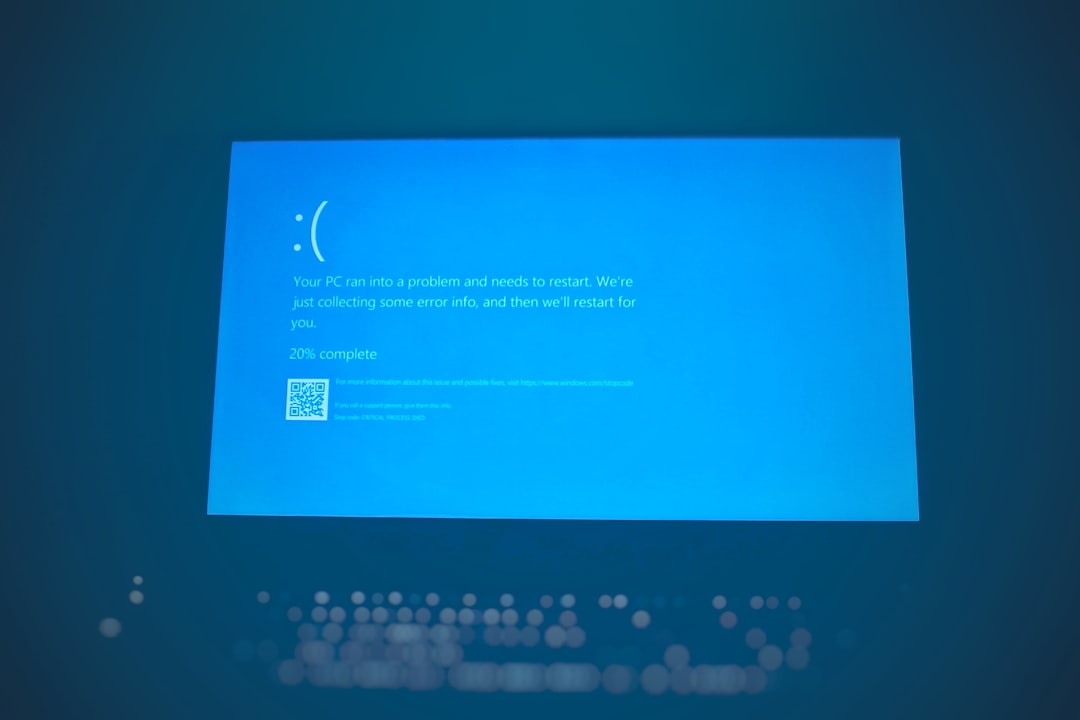
Warning Signs Your Server Is About to Fail
Most server crashes don’t happen without warning. Most server failures show early signs. Poor performance, errors, odd noises, and crashes hint at a coming hardware failure. Learning to read these signals can be the difference between a scheduled maintenance window and an emergency recovery operation.
Performance and System Indicators
Watch for frequent system crashes, mysteriously corrupted files, and unusually slow file-loading times. If you access the drives close-up, unusual clicking or grinding noises can also be a warning sign. On the software side, watch out for warning signs such as error messages, slow response times, unexpected shutdowns, data loss or file corruption, and high network/CPU usage.
Key Monitoring Metrics to Track
Monitor overall CPU usage and scaling relative to the number of cores to detect processing bottlenecks. Constant CPU usage above 80% may indicate the need for optimization or scaling. Disk space is equally critical: a full disk will crash a database instantly, so set alerts for 85% capacity.
The Case for Proactive Monitoring
The shift to proactive monitoring represents one of the biggest changes in how IT teams approach their work in recent years. The business value is undeniable: organizations with robust early warning systems experience fewer critical outages and significantly faster resolution times when issues do occur.
Proactive monitoring can reduce downtime by over 50%, meaning every dollar spent on a monitoring solution buys you warning time before a full crash. Studies show that proactive monitoring reduces incident resolution time by 25% and increases first-call resolution rates by 15%.
What to Do Immediately After a Server Crash
The actions you take in the minutes and hours following a server crash determine whether you recover fully or face permanent data loss. Follow this sequence carefully.
Step 1 — Stop and Assess Before You Act
A server crash doesn’t automatically mean your data is gone. In most cases, the data is still sitting on the drives. But what you do in the next few hours matters more than anything else.
The wrong move, such as trying to force a degraded RAID array to rebuild or running chkdsk on a failing disk, can turn a recoverable situation into a permanent loss. Document what you observe: error messages, indicator lights, the sequence of events before the crash, and any sounds the hardware is making. This information will be invaluable if you need professional recovery.
Step 2 — Power Down Properly
If the server is still running in a degraded state, shut it down cleanly if possible. If it’s frozen or unresponsive, hold the power button. Yes, a hard shutdown isn’t ideal, but a server running on a failing drive is actively making things worse with every second of disk activity.
Step 3 — Check Your Backups
Before you spend any time on recovery, verify your backup situation. Do you have recent backups? Are they accessible? Are they actually complete? A surprising number of businesses discover their “automated backups” stopped working weeks ago, and nobody noticed. This is the moment to find out.
Step 4 — Identify the Failure Type
Before attempting any data recovery, it’s essential to identify the root cause of the server failure as quickly as possible. Common causes include hardware failure, software corruption, natural disasters, human error, and malware attacks. By determining the cause of failure, you can avoid further damage and develop a plan of action.
Step 5 — Engage Professional Recovery If Needed
Recovering data from a crashed server often requires expensive data recovery services, because software tools cannot fix broken internal components. If you’re facing a complex failure, such as a RAID array collapse, multi-drive failure, or ransomware encryption, contact a professional data recovery specialist immediately. Attempting DIY repairs in these scenarios dramatically reduces the success rate of recovery.
Pro Tip: Professional recovery services create an exact replica of each disk using write-blockers to ensure no further damage occurs during the recovery process. In case of RAID failure, the experts will rebuild the virtual RAID structure to access the data without damaging the original drives. Never attempt this yourself without proper tools and training.

Understanding RTO and RPO: The Two Numbers That Define Your Recovery
Two metrics sit at the heart of every effective disaster recovery plan: Recovery Time Objective (RTO) and Recovery Point Objective (RPO). Every business should know these numbers before a crash happens.
Recovery Time Objective (RTO)
Recovery Time Objective represents the maximum duration your organization can tolerate system downtime before the business impact becomes critical. This metric answers the question: “How long can we afford to be down before we face unacceptable consequences?”
A hospital’s electronic health records might demand a 15-minute RTO to ensure patient safety, while a marketing agency’s creative software might tolerate an eight-hour RTO without significant client impact. Your RTO must be set based on the real cost of downtime in your specific business, not a generic industry benchmark.
Recovery Point Objective (RPO)
The Recovery Point Objective outlines the maximum acceptable amount of data loss measured in time. While RTO sets the time limit for recovery, RPO defines the timeframe within which your data must be restored.
In practice, an RPO of 15 minutes means data is backed up every 15 minutes, ensuring minimal loss in the event of a failure. The closer your RPO is to zero, the more frequently you must back up and the more infrastructure investment that is required.
Aligning RTO/RPO to Business Tiers
Your mission-critical systems — think customer databases, payment processing, or core production systems — deserve Tier 1 status with aggressive RTOs and RPOs. Your internal HR portal or archived files might be Tier 2 or 3, with more relaxed requirements and cost-effective backup solutions. Aligning these objectives with your actual business needs prevents both over-engineering expensive solutions for non-critical systems and under-protecting the functions that keep your business alive.
The 3-2-1 Backup Strategy: Your Foundation for Recovery
In my experience, the most common reason businesses can’t recover from a server crash is not a lack of backup software; it’s a failure of backup strategy. The 3-2-1 rule is the industry-standard baseline that every business should implement, starting today.
What the 3-2-1 Rule Means
The 3-2-1 strategy advises keeping three copies of your data on two different media, with one copy off-site. Concretely, this means:
- 3 total copies of your data (production + two backups)
- 2 different types of storage media (e.g., local NAS + cloud)
- 1 copy stored off-site or in the cloud
The success of the 3-2-1 backup rule lies in its ability to prevent a single point of failure. This approach minimizes the risk of losing data from any single incident, whether due to hardware failure, theft, fire, or ransomware.
Upgrading to the 3-2-1-1-0 Standard
As threats evolve, many organizations are moving beyond the basic 3-2-1 rule. Extending the 3-2-1 rule to 3-2-1-1-0 protects your company from ransomware attacks that use double extortion. The additional “1” requires an immutable backup — a cloud backup with write-once, read-many (WORM) enabled, or an offline, air-gapped copy that can’t be accessed, altered, or deleted by unauthorized users.
The “0” means zero-error restorations. This step includes validating backup files and restoration processes to make sure you can recover critical business data within your ideal time frame.
Pro Tip: I’ve found that the single most dangerous assumption in backup planning is that “automated backups are running fine” without regular testing. Research by Avast found that 60% of data backups are incomplete, and backup restores have a 50% failure rate. Schedule quarterly restore tests — treat them as a fire drill for your data.
RAID Is Not a Backup
This is one of the most dangerous misconceptions I encounter. RAID protects against a single drive failure by mirroring data across multiple disks, keeping a server running. However, it is not a true backup. If data is corrupted, deleted, or hit by ransomware, RAID will instantly replicate that damage across all drives. You still need additional backups, ideally off-site.
Building a Formal Disaster Recovery Plan
A disaster recovery plan (DRP) is the documented, tested roadmap your team follows when a server crash occurs. Having a robust disaster recovery plan is essential for quickly restoring services after a crash. This plan should outline steps for data recovery, system restoration, and communication strategies during an incident. Regularly testing this plan ensures that all team members know their roles in an emergency, reducing recovery time and minimizing the impact on the business.
Core Components of a Strong DRP
A DRP is only as good as its contents. Based on best practices, every DRP should include:
- Risk assessment and asset inventory — what systems exist and how critical are they?
- RTO and RPO definitions — per system or application tier
- Step-by-step recovery procedures — who does what, and when
- Communication plan — who to notify internally and externally, including customers
- Vendor and service provider contacts — cloud providers, hardware vendors, data recovery firms
- Testing schedule — at minimum, annually; ideally, quarterly
Your BCDR plan needs regular review and updates — at a minimum, annually, and whenever significant changes occur in your business. New systems, office relocations, key personnel changes, or shifts in business priorities can all impact your recovery needs.
Test Your Plan — or It Doesn’t Exist
While 100% of organizations conduct some form of resiliency testing, 71% don’t perform failover testing, and 62% don’t conduct regular backup restoration exercises. A plan that has never been tested is not a plan; it’s a document. If you haven’t tested your recovery processes in a disaster simulation, you’re more likely to face major problems when using them in an actual disaster. By testing your DR plans and required processes, you can validate the feasibility of your RTO.
Pro Tip: Regularly simulate disasters to validate your plan and prepare your team. Even a tabletop exercise — where your team walks through a crash scenario step by step on paper — is dramatically better than no preparation at all.
Common Mistakes Businesses Make During Server Recovery
What you don’t do during a server crash can be just as important as what you do. After years of observation, the same costly mistakes appear repeatedly.
Mistake #1 — Attempting a RAID Rebuild Without Expert Help
Do NOT attempt a RAID rebuild on a degraded array. If one drive failed in a RAID 5 and you replace it, the rebuild process puts enormous strain on the remaining drives. If a second drive fails during the rebuild — which happens more often than you’d think, especially with older drives — you lose everything. Always consult a professional before initiating any RAID recovery operation.
Mistake #2 — Discovering Backups Don’t Work During a Crisis
I’ve seen this scenario play out with devastating results. Having a robust data backup system is the most important way to prevent data loss from hardware failure, but you need to test those backups to confirm they’re viable. Don’t assume they’ll work when the time comes, especially if you’re relying on older incremental backup processes, which are notorious for failing during recovery.
Mistake #3 — Paying a Ransom Without Exhausting Other Options
A 2024 survey by Sophos found that 98% of organizations whose data was encrypted recovered at least some of it. While 68% of businesses recovered their data from backups, 56% gave in to the attackers’ ransom demands. Paying a ransom does not guarantee the return of data, exposes you to further targeting, and funds criminal operations. Always exhaust backup recovery options first.
Mistake #4 — No Communication Plan for Customers
Data loss and downtime set back productivity timelines and can lead to customer loss, particularly if accompanied by security breaches. When sensitive data is stolen or otherwise compromised, your company is obligated to disclose the breach to clients, which can make it challenging to maintain their trust, respect, and loyalty. Have your customer communication templates ready before you ever need them.
Mistake #5 — Treating Recovery as a One-Time Event
Many organizations remain unprepared, with only 31% confident they can recover lost data within 24 hours. Recovery planning is not a one-time project. It’s an ongoing operational commitment. Build it into quarterly reviews and annual IT audits.

How Colocation and Managed Hosting Support Recovery
For businesses without dedicated IT infrastructure teams, colocation and managed hosting services offer a powerful, cost-effective path to resilience without having to build their own data centers.
What Colocation Provides
One of the most effective strategies for disaster recovery is colocation. Colocation services provide businesses with secure, redundant, and highly available environments for their critical IT infrastructure.
Data centers have multiple power and network connections, backup generators, and backup storage systems, ensuring that critical systems remain operational even in the event of a disaster. For most small and mid-sized businesses, this level of redundancy is simply impossible to replicate on-premises.
Geographic Redundancy and Failover
Colocation can help organizations implement a customized DR strategy to support uptime and minimize data loss during a disaster. With a fleet of geographically distributed data centers, colocation enables organizations to select a backup site remote from their production site. This distance ensures a localized event does not impact both locations. During a disruption, operations fail over to the secondary site, limiting downtime while the outage is addressed.
Colocation Pricing Considerations
Building and maintaining a separate disaster recovery site is expensive. On-premise data centers require continuous maintenance, power, security, and IT staffing. Colocation eliminates these costs by providing businesses with an infrastructure-ready environment at a fraction of the cost. Colocation providers also offer pay-as-you-grow models, in which businesses pay only for the resources they need.
This is where a provider like Datacate becomes a critical partner. With enterprise-grade colocation and managed hosting infrastructure, Datacate enables businesses of all sizes to access the kind of redundant, professionally managed environments once available only to large corporations, at a price point that makes business sense.
Pro Tip: Not all colocation providers offer the same level of service. When selecting a facility, consider: uptime guarantees and service level agreements (SLAs), security certifications and compliance standards, connectivity options for cloud integration, and availability of remote hands and managed services.
The Real Cost of Not Having a Recovery Plan
Many businesses delay building a recovery plan because it feels expensive or complex. The data tells a different story.
According to the National Cybersecurity Alliance, 60% of small businesses that experience significant data loss are forced to close within six months of the disaster. An incredible 72% fail within two years. These are not edge cases; these are businesses just like yours.
Data from FEMA shows that 90% of businesses fail within a year if they are unable to get back up and running within five days after a disaster. The longer recovery takes, the more likely a business is to have to permanently shutter its doors. Therefore, if your current recovery plan would take you more than five days to restore operations, you are statistically likely to go out of business after a major incident.
According to Sophos, organizations reported a mean cost to recover from a ransomware attack of $2.73 million in 2024, up almost $1 million from $1.82 million in 2023. The cost of prevention is always far less than the cost of recovery.

Frequently Asked Questions
What is server crashed data recovery?
Server crashed data recovery is the process of retrieving, restoring, and reconstructing data from a server that has experienced a failure, whether due to hardware malfunction, software corruption, cyberattack, or power failure. This includes retrieving specific files or entire datasets lost due to hardware failure, system crash, or accidental deletion, as well as reinstating the entire server environment, including OS, drivers, and settings, to the exact state it was in before the failure. Recovery outcomes depend heavily on the nature of the failure and whether adequate backups exist.
How long does server crash data recovery typically take?
Recovery time varies dramatically based on the severity of the failure. Fewer than 7% of companies recover within a day of a ransomware attack, according to a 2024 report by Sophos. For less-prepared businesses, it can take days, weeks, or even months. In a survey of more than 5,000 organizations, more than a third said it took more than a month to recover, up from 24% in 2023. Businesses with current, tested backups and documented recovery plans recover dramatically faster.
What is the difference between RTO and RPO?
RTO focuses on the maximum acceptable downtime for a system or business process, while RPO designates the maximum amount of data that can be lost during an outage. Both metrics are expressed in seconds, minutes, hours, or days. RTO answers “how long can we be down?” while RPO answers “how much data can we afford to lose?” Together, they define the two critical boundaries of your disaster recovery plan.
Is RAID a sufficient backup for server crash recovery?
No. RAID protects against a single drive failure by mirroring data across multiple disks, but it is not a true backup. If data is corrupted, deleted, or hit by ransomware, RAID will instantly replicate that damage across all drives. RAID provides hardware redundancy, not data protection. You must maintain separate, off-site, or cloud-based backups in addition to any RAID configuration.
What should I do first when my server crashes?
First, remain calm and do not make impulsive changes. Before attempting any data recovery, identify the root cause of the server failure as quickly as possible. Common causes include hardware failure, software corruption, natural disasters, human error, and malware attacks. By determining the cause of failure, you can avoid further damage and develop a plan of action. Then check your most recent backups before attempting any form of manual repair.
How often should backups be tested?
Ideally, backups should be performed daily or more frequently for critical data and tested for recoverability at least quarterly, or more often depending on data importance and system changes. Testing more frequently than quarterly is strongly recommended for businesses in regulated industries (healthcare, finance, legal) or those with high data velocity. A backup that has never been tested is an untested assumption, not a safety net.
Can a business survive a major server crash without a disaster recovery plan?
Statistically, the odds are poor. If they don’t have any recovery plans in place, 43% of businesses that experience catastrophic data loss fail. 93% of companies that couldn’t recover their data within 10 days of the tragedy went bankrupt within a year. However, 96% of organizations with a trusted backup and disaster recovery plan survive ransomware attacks. The plan itself is the survival advantage.
Closing: Your Next Step After Reading This
Server crashed data recovery is not a topic to bookmark and revisit later. Every day without a tested recovery plan leaves your business exposed to catastrophic, potentially business-ending risk. The good news is that the path forward is clear.
Start with a backup audit this week. Then define your RTO and RPO. Then document your DRP — even a one-page outline is better than nothing. If you lack the infrastructure or personnel to manage this in-house, consider a managed hosting or colocation partner like Datacate, whose purpose-built data center environments provide the redundancy, power protection, and expert support your business depends on.
The businesses that survive server crashes are the ones that are prepared before the crash happens. Be one of them.
Sources
- ITIC 2024 Hourly Cost of Downtime Survey — Invenio IT. Downtime cost benchmarks for mid-sized and large enterprises. https://invenioit.com/continuity/disaster-recovery-statistics/
- 2025 Data Loss Statistics — CrashPlan. Comprehensive data loss statistics for 2026. CrashPlan data loss statistics
- Data Loss Statistics in the US in 2025 — Infrascale. Analysis of data loss causes and trends for U.S. businesses. https://www.infrascale.com/data-loss-statistics-usa/
- 15 Data Loss Statistics All Businesses Should Know — Invenio IT. Ransomware, cloud, and SMB data loss statistics. https://invenioit.com/continuity/data-loss-statistics/
- Server Crash Data Recovery Checklist — MDRepairs. Professional server recovery guidance and RAID failure scenarios. https://mdrepairs.com/blog/server-crash-data-recovery/
- 3-2-1 Backup Strategy — Backblaze. Definitive guide to the 3-2-1 data backup rule. https://www.backblaze.com/blog/the-3-2-1-backup-strategy/
- Understanding RTO and RPO — TrustCloud AI. Business continuity metrics for 2025. https://www.trustcloud.ai/risk-management/mastering-rto-and-rpo-for-bulletproof-business-continuity/
- RPO vs. RTO Explained — TechTarget. Key differences and backup strategy implications. https://www.techtarget.com/searchstorage/feature/What-is-the-difference-between-RPO-and-RTO-from-a-backup-perspective
- Business Continuity and Data Recovery Guide — KraftBusiness. BCDR planning and disaster recovery frameworks.
- Business Continuity and Disaster Recovery (BCDR) — Commvault. BCDR planning frameworks and strategies for minimizing downtime. https://www.commvault.com/explore/business-continuity-disaster-recovery-bcdr
- Server Crash Reasons and Solutions — RAID Recovery Services. Server failure causes and data recovery steps. 11. Top Reasons for Server Failures and How to Prevent Them — New Server Life. Server crash causes include hardware failure, power issues, and overheating. https://newserverlife.com/articles/reasons-for-server-failure/
- How Proactive Monitoring Reduces Downtime — IntegriTech. Proactive vs. reactive monitoring for IT infrastructure. Proactive monitoring for reducing downtime
- The Disaster Recovery Gap — Secureframe. 110+ statistics on organizational DR preparedness. https://secureframe.com/blog/disaster-recovery-statistics
- Colocation in Disaster Recovery — Datacenters.com. Role of colocation in business continuity planning. https://www.datacenters.com/news/the-role-of-colocation-in-disaster-recovery-plans
- Top Causes of Data Loss — Invenio IT. Hardware failure, human error, and cyberattack analysis. https://invenioit.com/continuity/top-causes-data-loss/
- What is Disaster Recovery? — HPE. Authoritative overview of RTO, RPO, and disaster recovery planning. Disaster recovery planning
- Business Continuity Statistics — Risk and Resilience Hub. FEMA and industry statistics on post-disaster business survival. https://riskandresiliencehub.com/23-business-continuity-statistics-you-need-to-know/
- 3-2-1 Backup Rule — US Chamber of Commerce. Small business backup strategy implementation guide. https://www.uschamber.com/co/run/technology/3-2-1-backup-rule
- How to Prevent Data Loss from Hardware Failure — Invenio IT. Hardware failure prevention and backup strategy guidance. https://invenioit.com/continuity/prevent-data-loss-from-hardware-failure/