By Datacate | Updated June 2026
Infrastructure is one of the most consequential (and expensive) decisions your business will make. You know that you need it, but how do you go about procuring it? The global cloud computing market was valued at approximately $781 billion in 2025 and is projected to surpass $900 billion in 2026, so clearly, the cloud isn’t going away. But here’s the thing the headlines don’t tell you: 86% of CIOs plan to repatriate at least some workloads from the public cloud, with 80% aiming to execute that plan within 12 months.
That’s not a rejection of cloud computing. It’s a financial reckoning. Businesses are waking up to the reality that the cloud’s flexible pricing model – pay-as-you-go, no capital commitment, instant scalability – comes with a compounding cost that can quietly eclipse the alternatives. Colocation, which means placing your own hardware in a professionally managed data center facility, offers a fundamentally different economic model. In our experience helping businesses think through infrastructure decisions, the right answer almost always comes down to your specific workload profile, not any ideological preference for one technology over another.
This guide provides a rigorous, honest total cost analysis so you can make an informed decision and possibly save six or seven figures over a five-year horizon.
Key Takeaways
- Cloud costs grow with your workloads: Cloud costs 60% more over five years for equivalent steady-state capacity compared to colocation, so if your workloads are predictable and always-on, start modeling a colocation TCO today.
- Egress fees are the cloud’s hidden tax: AWS charges $0.090 per GB for data egress, meaning a typical web application serving 1TB/month pays $90 just in bandwidth before factoring in database backups, log shipping, and monitoring data. Multiply that by 12 months and multiple workloads, and the bill grows fast.
- Colocation security gives you direct control: On-premises or colocated deployments give direct access to encryption keys, network segmentation, and physical security controls, simplifying compliance demands for regulated industries.
- 27% of cloud spending is wasted: According to Flexera’s 2025 report, 27% is consumed by underutilized resources, oversized instances, and forgotten development environments. If you’re not actively managing cloud waste, you’re almost certainly overpaying.
- Hybrid is the practical answer for most: According to a recent Gartner report, over 42% of mid- to large-scale organizations now opt for a hybrid model, mixing public cloud with server colocation to optimize performance and cost efficiency.
Quick-Start Prioritization Framework
| Strategy | Best For | Effort Level | Time to Results |
|---|---|---|---|
| Colocation (full rack) | Stable, always-on workloads; regulated industries | Medium (hardware procurement) | 3 – 6 months |
| Public Cloud | Variable, bursty, or unpredictable workloads | Low (instant provisioning) | Days |
| Hybrid (Colo + Cloud) | Mixed workloads; growth-stage businesses | Medium-High | 2 – 4 months |
| Cloud Repatriation | Organizations with ballooning cloud bills | High (migration project) | 6 – 12 months |
| Colocation (partial/shared rack) | Small teams, single servers, budget-conscious | Low | 2 – 4 weeks |
Start here if you’re:
- A startup or SME with variable demand: Cloud first – the OpEx model and instant scaling justify the premium until workloads stabilize.
- A mid-market business with predictable workloads: Colocation delivers better five-year TCO – start modeling now with a colocation provider like Datacate.
- In healthcare, finance, or another regulated industry: Colocation or hybrid – the compliance control benefits alone often justify the switch.
- Running compute-intensive or AI workloads 24/7: Colocation is almost always cheaper – cloud GPU pricing scales brutally at continuous utilization.
What Each Model Actually Is (And What It Isn’t)
Colocation: Your Hardware, Their Facility
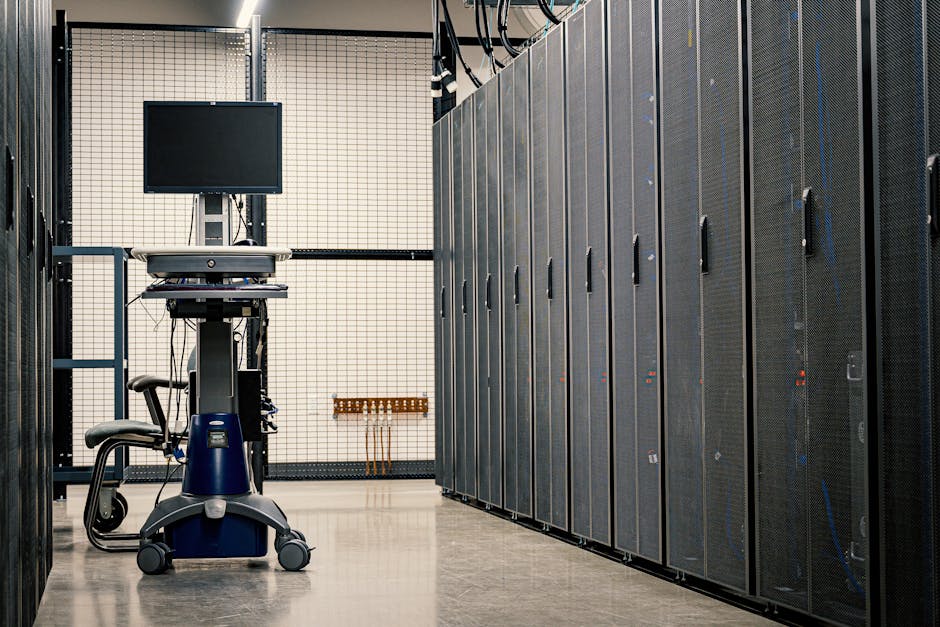
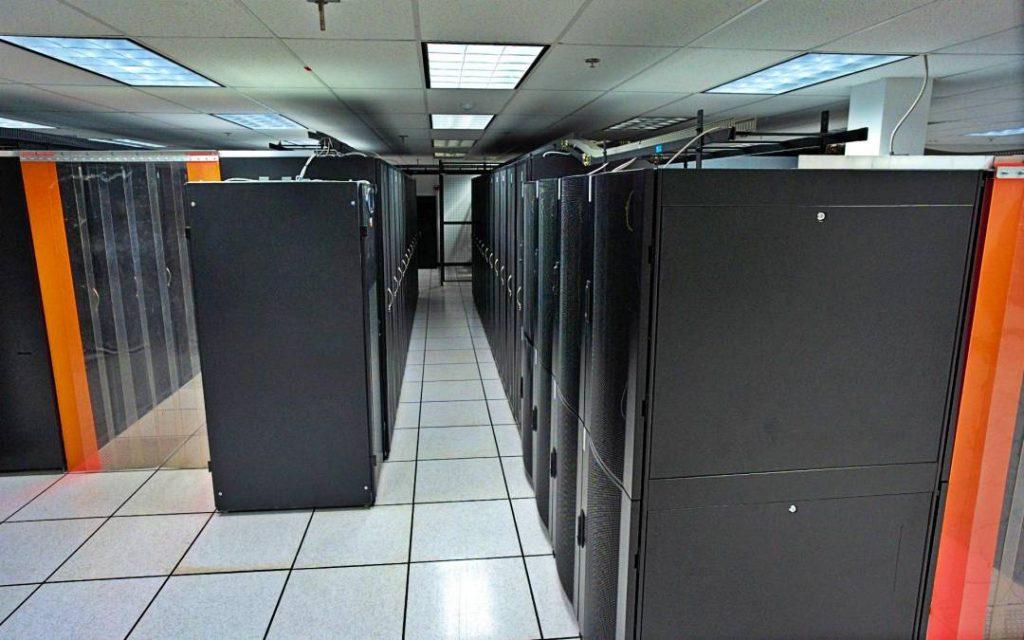
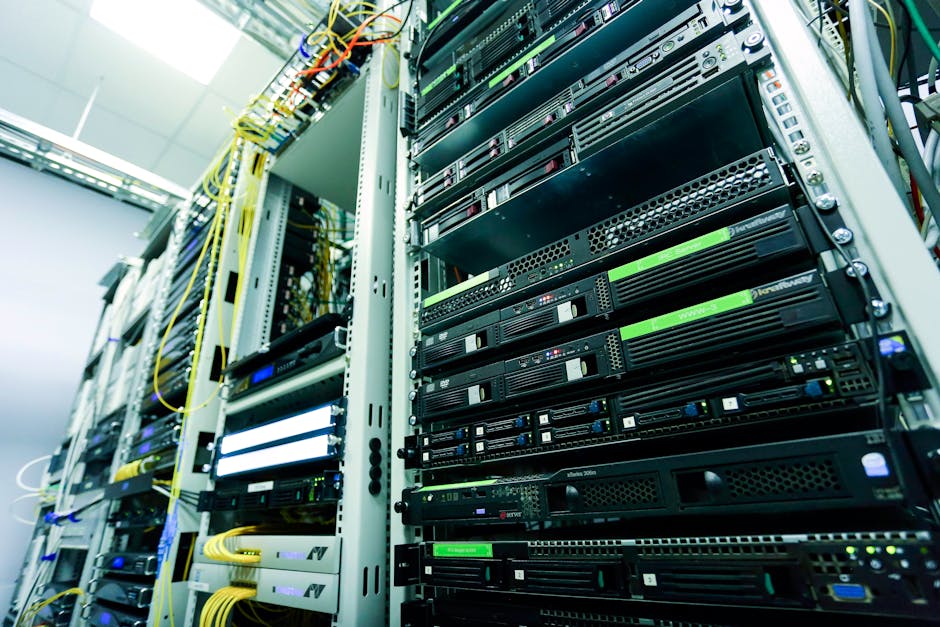
Colocation (“colo”) refers to renting physical space, power, and network connectivity in a third-party data center where you deploy your own hardware. While the data center provider handles the facility, power, cooling, and physical security, you own and manage your servers and infrastructure stack.
With colocation, a company buys its own IT equipment, but instead of building and maintaining a data center for it, the equipment is hosted by a colocation provider. This way, the customer can manage its own IT systems and leave things like power management and cooling to the colocation provider.
This is an important distinction. Colocation isn’t on-premises. You don’t need to own a building, install redundant power systems, or manage cooling infrastructure. You’re renting that shared expertise from a specialist while retaining full ownership of your compute stack.
Cloud Computing: Someone Else’s Hardware, Rented by the Minute
Cloud computing delivers computing services, such as servers, storage, and GPUs, over the internet from a public or private cloud provider. It’s highly scalable, fast to deploy, and often used for elastic workloads where flexibility is a top priority.
Cloud providers typically operate a pay-as-you-go model, meaning there are no upfront costs for businesses. However, over time, cloud expenditure can rise as usage increases and a business’s needs for scaling, data transfers, and specialized services expand.
That last sentence is the crux of the entire debate. The cloud is brilliantly designed for the early stages of your infrastructure journey, but it becomes increasingly expensive as you scale.
Breaking Down the Real Costs: Colocation
What You Actually Pay For
Colocation cost isn’t just a monthly rack fee; it’s the total of space, power, network access, hands-on support, setup work, and the operational choices you make around redundancy. Understanding each component is essential for building an accurate TCO model.
Space: In the US, a standard full rack (42U, 3-5 kW) runs $900-$2,500/month all-in at a Tier 3 facility, depending on the market and term length. Smaller footprints are available: a widely cited range is $50 to $300 per 1U per month, with concrete US examples including 1U at $75/month, 10U at $399/month, and 42U at $999/month from Colocation America.
Power: According to CBRE, the average monthly asking rate for colocation services in primary North American data center markets rose to $196.25 per kW for 250-500 kW requirements in H2 2025, marking a 6.6% year-over-year increase. What this means for your budget: Lock in a multi-year contract before rates rise further; colocation pricing has increased 17% over the past five years and shows no signs of stabilizing as demand outpaces supply.
Network and cross-connects: Beyond the base fee, buyers should budget for cross-connect fees (typically $100 – $300/month per connection), power overages, remote hands support, and bandwidth costs, all add-ons that can significantly affect the total bill.
Remote hands and services: If you can’t always access your colocation facility in person, you’ll need remote hands services. Basic tasks like rebooting or cable checks might be included, but extended support, such as hardware swaps or diagnostics, usually comes with additional charges.
Pro Tip: Ask your provider to separately list recurring and non-recurring charges in writing, and clarify which tasks are billable. A provider that can’t clearly explain what’s included in space, committed power, network services, and billable support isn’t giving you a cost model – they’re giving you a sales estimate.
The Hidden Colocation Surprise
Colocation providers often quote $150/month for a quarter rack, but power consumption charges can double your monthly bill, and cooling overhead adds 30-50% to your power costs. One healthcare company budgeted $3,000/month for rack space. The reality was $7,200/month after accounting for power, cooling, redundant circuits, and cross-connects. The lesson: Always model total rack cost, not just the quoted space rate.
Breaking Down the Real Costs: Cloud Computing
What Looks Cheap At Launch
Public cloud pricing combines fixed and variable charges, including compute, storage, per-request, monitoring, and data transfer. Predictable workloads often reveal public-cloud bills higher than expected once micro-charges and egress add up.
Cloud shifts spending to operating expense with metered billing. It is simple to start and scale, but costs can spike with always-on instances, storage growth, and egress.
The Egress Problem: Cloud’s Invisible Tax
We’ve found that egress fees are the most common source of shock in cloud billing and the hardest to forecast up front. AWS charges $0.090 per GB for data egress. A typical web application serving 1TB/month pays $90 just for bandwidth, and database backups, log shipping, and monitoring data all count as egress, with multi-region deployments generating massive cross-region transfer fees.
For data-intensive businesses, this is catastrophic. Colocation bandwidth costs a fraction of cloud egress through committed bandwidth agreements. After repatriation, one streaming company’s bandwidth costs dropped from approximately $1.17 million to under $400,000 annually. What to do: Before signing a cloud contract, model your expected monthly egress at current workload levels and project 18 months forward. If the number exceeds $10,000/month, run a colocation TCO comparison immediately.
Cloud Waste: The Budget Killer Nobody Talks About
Cost management has emerged as the #1 challenge in cloud adoption, with organizations wasting an estimated 31% of their cloud spending on unused resources. That’s not a rounding error; that’s nearly a third of your cloud budget evaporating into idle instances, forgotten development environments, and over-provisioned storage. If you’re spending $200,000/year on cloud, you’re likely burning $60,000 on nothing.
Pro Tip: Conduct a cloud waste audit before making any infrastructure decision. Tools like AWS Cost Explorer, Azure Advisor, or third-party FinOps platforms can identify underutilized resources within hours. Eliminating waste may change your TCO comparison more than any hardware decision.

Head-to-Head: Real-World Cost Comparisons
The $400 Million Case Study
The most dramatic real-world comparison in the colocation vs cloud debate comes from Ahrefs, a compute-intensive SEO software firm. A software firm in Singapore claims it would cost more than $400 million over three years if it were to migrate from its existing colocation setup and move its workloads to AWS cloud. The firm runs a very compute-intensive environment, and high-density computing can be very expensive to duplicate in cloud environments.
The company calculated its cost per server per month at $1,550, including acquisition, for the colocation setup. That estimate factors in the cost of renting space at the facility, electricity, IP transit, dark fiber, and network hardware. To get the same hardware through AWS, they estimated paying $17,557 per month for an equivalent server.
That’s an 11x cost differential for the same compute output. Action: If you’re running high-density or compute-intensive workloads 24/7, a colocation TCO analysis should be your first priority.
37signals and Dropbox: Repatriation Savings at Scale
Companies like 37signals (creators of Basecamp) famously saved $7 million over five years by moving from the public cloud to their own hardware. Their success story triggered a wave of similar moves across the SaaS industry.
Dropbox saved nearly $75 million over two years by bringing big-data workloads home to colocation facilities, cutting AWS usage to 10%. Dropbox faced a specific problem: its workloads were so large and steady that public cloud pricing models were structurally more expensive than owning hardware outright.
The Healthcare Analytics Example
A healthcare analytics company processing protected health information for hospital systems was spending $2.4 million annually on a HIPAA-compliant AWS deployment. Beyond cost, they faced ongoing compliance complexity with the AWS shared responsibility model, BAA management, and constant audit burden. They repatriated their core analytics platform to dedicated servers in a HIPAA-compliant colocation facility.
By owning the infrastructure, they simplified their compliance posture. Physical security was provided by the colocation facility (with SOC 2 Type 2 and HIPAA certifications), and they had complete control over the technical environment. Annual costs dropped to $1.32 million (45% savings), and their HIPAA audit preparation time decreased by approximately 40%.
Pro Tip: Businesses should run full TCO models that include reserved commitments, support tiers, monitoring costs, and likely egress over five years to compare options realistically. A single-year cloud quote is almost always misleading.
Colocation vs Cloud Security: A Critical Comparison
Security is one of the most misunderstood dimensions of the colocation vs cloud debate. The answer depends entirely on what “security” means for your specific situation.
Physical Security: Colocation’s Structural Advantage
With colocation, the facility provides physical security of servers in data centers, including access control, surveillance, and maintaining the right environment for power and cooling. However, businesses must take measures to protect their data, maintain network security, and ensure that their assets are safe from cyber threats.
Colocation puts you in charge of host security, segmentation, and monitoring, while the facility delivers layered physical protections. This is the model that many compliance frameworks – including HIPAA, PCI DSS, and GDPR – were effectively designed around: physical control of hardware combined with organizational responsibility for data.
The Cloud’s Shared Responsibility Model
In the case of cloud services, responsibility for maintaining cloud security is shared between the provider and client in what is called the shared responsibility model. This means the cloud service provider is tasked with protecting the security of the cloud: infrastructure, hardware, software, and network. The business is responsible for security IN the cloud, meaning data, access, and applications.
This model works well in theory. In practice, cloud providers use tiered support models that privilege large spenders, which may delay escalation for mid-market firms. When a security incident occurs at 2am and you’re not an enterprise-tier customer, your escalation path may be slower than you’d like.
Compliance and Data Sovereignty
AI workloads often involve sensitive data, from medical images to financial records. With colocation, your data remains in systems you physically control, easing concerns over residency, regulatory compliance (such as HIPAA and GDPR), and third-party access.
Regulators increasingly demand data locality and auditability for certain workloads, which complicates cross-border public cloud deployments. Colocation permits explicit control of physical location and local legal compliance.
You can more easily adhere to data governance legislation like GDPR and CCPA if you have an on-premises or colocation environment. You own your systems and data, so you can implement governance principles that keep data secure during transfers, which can prevent costly penalties for non-compliance.
Pro Tip: When evaluating colocation providers, confirm they meet relevant industry standards (GDPR, HIPAA, ISO), can help you meet sustainability goals, and are able to provide additional infrastructure and services to support growth.
Scalability and Flexibility: Where Cloud Wins
The cloud genuinely wins on one dimension: speed of deployment. Cloud scales on demand. You can right-size resources in minutes and experiment with new services without procurement cycles.
The public cloud is highly elastic and an excellent choice for applications with variable workloads, especially when those workloads are hard to predict. If, however, applications have steady and highly predictable workloads, it’s generally more economical to run them on private infrastructure.
Cloud is specifically optimal for variable or unpredictable workloads, development and testing environments that benefit from rapid provisioning and deprovisioning, and applications that require global distribution with local low-latency access.
Colocation scales too, but differently. Colocation scales more slowly, but with long-term efficiency and fixed pricing. If your business has a reliable growth trajectory and you can forecast capacity 12 – 18 months ahead, colocation’s hardware procurement lead time becomes a manageable planning exercise rather than a competitive disadvantage.
The Hybrid Model: Capturing the Best of Both
Hybrid designs are often the practical answer. Keep elastic and disposable workloads on VPS or cloud. Place steady-state infrastructure on owned hardware in a facility built for power, cooling, and connectivity. That split usually produces better budgeting discipline than trying to force every workload into one model.
Hybrid cloud-colo strategies offer flexibility where you can use cloud for spikes in demand, and colocation for baseline workloads.
In my experience, the hybrid approach succeeds when organizations have clearly defined which workloads are “cloud-native” (stateless, bursty, globally distributed) and which are “colo-native” (stateful, always-on, data-heavy, compliance-sensitive). The trap is treating the hybrid model as “everything everywhere” – that’s how you get the worst costs of both worlds.
One fintech company took a hybrid approach: their application tier remained in AWS, leveraging auto-scaling for variable web traffic, but they moved their PostgreSQL database cluster to bare-metal servers in a colocation facility connected to AWS via Direct Connect. This type of precision – cloud for the frontend, colocation for the data layer – is becoming the template for mature infrastructure architecture.
Common Mistakes That Inflate Costs on Both Sides
Mistakes Organizations Make with Colocation
Underestimating total rack cost. Your colocation provider quotes you $150/month for a quarter rack, but power consumption charges can double your monthly bill, and cooling overhead adds 30-50% to your power costs. One healthcare company budgeted $3,000/month for rack space; the actual bill was $7,200/month after accounting for power, cooling, redundant circuits, and cross-connects.
Ignoring hardware refresh cycles. Colocation can lock you into hardware refresh cycles and limits your ability to experiment with new technologies. Build hardware depreciation and refresh budgets into your five-year TCO model from day one.
Choosing the wrong contract term. Agreements tend to be a minimum of three years and go up to seven years to get the best colocation pricing. Locking into the wrong facility or footprint for seven years is an expensive mistake, so do your due diligence before signing.
Mistakes Organizations Make with Cloud
Ignoring unused resources. According to Flexera’s 2025 data, 27% of cloud spending is wasted on underutilized resources, oversized instances, and forgotten development environments. Implement FinOps practices and automatic shutdown policies for non-production environments from day one.
Trusting the initial quote. Cloud providers have perfected the art of making simple things expensive through complexity. Promotional pricing, free tiers, and low compute costs obscure egress, storage, monitoring, and support charges that only appear at scale.
Underestimating vendor lock-in risk. Many organizations discovered that exiting a cloud provider was harder than expected, not because of compute, but because of deeply embedded proprietary services. Databases, analytics engines, AI platforms, and identity services created tight coupling that raised both cost and risk.
Pro Tip: Choosing colocation or designing for portability with containers and open-source stacks reduces long-term lock-in risk and preserves strategic flexibility.
How to Run Your Own TCO Analysis in 5 Steps
Before committing to either model, here’s a practical framework you can execute in a week:
Step 1 – Inventory your workloads. Categorize every application by: utilization pattern (steady vs. bursty), data volume and egress rate, compliance requirements, and geographic dependencies.
Step 2 – Model current cloud costs fully. Pull 12 months of cloud billing and segment by compute, storage, egress, support, and monitoring. Cloud providers typically charge for outbound data, which penalizes analytics, backups, and multi-region replication patterns. Make sure egress is in your model.
Step 3 – Get real colocation quotes. In the US, a standard full rack (42U, 3-5 kW) costs $900-$2,500/month all-in at a Tier 3 facility, depending on the market and term length. Get quotes from two or three providers, and ask for an itemized breakdown of space, power, bandwidth, and remote hands.
Step 4 – Add staffing and hardware costs. Colocation requires hardware ownership. Build in server acquisition (or financing), hardware refresh every 3-5 years, and any additional IT staff time for physical management.
Step 5 – Project over five years. For steady-state workloads, on-premises and colocation deliver similar total costs, while cloud costs 60% more over five years for equivalent capacity. The five-year horizon is where colocation’s economics become undeniable for predictable workloads.
Pro Tip: Bundle bandwidth and support with rack space for better pricing, choose regional colocation closer to your customer base to reduce latency, and negotiate long-term contracts (1 – 3 years) for discounts.
Frequently Asked Questions
What is the main cost difference between colocation and cloud?
Colocation provides full control over hardware, enhanced security, and compliance support, suited for enterprises with high performance or regulatory needs. Cost structures differ: cloud uses a pay-as-you-go model, while colocation requires a higher initial investment but offers predictable recurring fees. For steady workloads running 24/7, colocation typically delivers significantly lower five-year TCO. For bursty or unpredictable demand, cloud’s flexibility can justify the premium.
How much does colocation actually cost per month?
Server colocation typically costs between $79 and $599 per month, depending on the provider and requirements. However, full-rack deployments, which most mid-market businesses require, run $900-$2,500/month all-in at US Tier 3 facilities. Remember that the real cost is the total of space, power, network access, hands-on support, setup work, and redundancy choices, not just the quoted rack rate.
Is colocation more secure than the cloud?
Both models can be highly secure when properly configured. The public cloud implements a shared responsibility model that leaves customers accountable for many operational controls. On-premises or colocated deployments give direct access to encryption keys, network segmentation, and physical security controls, simplifying some compliance demands. For regulated industries like healthcare and finance, colocation often reduces compliance complexity and audit burden.
What workloads should stay in the cloud vs. move to colocation?
Elastic, global, and managed services often stay in public cloud, while steady or tightly governed workloads may fit better on private or colocated platforms. Specifically: use cloud for development/testing, globally distributed applications, and workloads with unpredictable demand spikes. Use colocation for databases, compliance-sensitive workloads, high-utilization compute, and applications where latency to local users matters.
What is cloud repatriation, and should I consider it?
Cloud repatriation is the strategic process of moving applications, workloads, or data away from public cloud environments and migrating them to on-premises data centers, colocation facilities, or dedicated bare metal infrastructure. It is not a rejection of the cloud model entirely, but rather a correction – the realization that while the public cloud is excellent for elastic workloads, it is often the wrong financial and technical choice for predictable, steady-state workloads at scale. If your cloud bills are growing faster than your business and you’ve already optimized for waste, a repatriation analysis is worth running.
How do egress fees affect my cloud vs. colocation decision?
Egress fees are often the tipping point in the TCO comparison. Cloud providers typically charge for outbound data, which penalizes analytics, backups, and multi-region replication patterns. Once a business transfers significant data volumes – say, more than 10TB per month – egress alone can make colocation dramatically cheaper, even before considering compute differences. Model your monthly egress carefully before making a final decision.
Can a hybrid approach reduce both cloud costs and colocation risks?
Yes. Hybrid cloud-colo strategies offer flexibility where you can use cloud for spikes in demand and colocation for baseline workloads. This is the strategy chosen by the majority of mature enterprises. According to Gartner, over 42% of mid to large-scale organizations now use a hybrid model combining public cloud with server colocation to optimize performance and cost-efficiency. The key is clearly defining which workloads belong where, and revisiting that mapping annually as your business evolves.
The Bottom Line: Which Model Is Right for Your Business?
The good news is that you don’t have to choose once and live with it forever. Infrastructure strategy is a living, evolving discipline. But the analysis should be done rigorously, not emotionally.
No single approach works for every organization or every workload. The enterprises thriving today recognize that infrastructure strategy requires matching deployment models to specific business requirements, technical characteristics, and financial constraints.
If your workloads are predictable, data-intensive, compliance-sensitive, or operating at high utilization, colocation will almost certainly deliver better five-year economics: often 40-60% lower total infrastructure spend. If your workloads are bursty, experimental, globally distributed, or genuinely unpredictable, the cloud’s flexibility can justify its premium. And for most businesses, the right answer is a thoughtfully designed hybrid of both.
Datacate offers enterprise-grade colocation services built to give businesses the security, reliability, and cost predictability they need to run mission-critical infrastructure – without overpaying for cloud agility they don’t actually need. Ready to run your TCO analysis? Datacate for a transparent, itemized colocation quote tailored to your workload.
Sources
- Colocation vs. Cloud in 2026: Cost, Control & Performance – DataBank. Analysis of key cost and performance factors. https://www.databank.com/resources/blogs/colocation-vs-cloud-in-2026-cost-control-performance/
- On-Prem vs. Colocation vs. Cloud: Which Is Right for 2026? – DataBank. Five-year TCO comparison across infrastructure models. https://www.databank.com/resources/blogs/on-prem-vs-colocation-vs-cloud-which-is-right-for-2026/
- Colocation vs Cloud TCO: Hidden Costs That Impact Your Budget – IDACORE Technical Blog. Real-world cost scenario analysis. https://idacore.com/blog/colocation/cost/colocation-vs-cloud-tco-hidden-costs-that-impact-your-budget
- Colocation vs cloud: Key differences and how to build the right strategy – Flexential. Strategy framework for infrastructure decisions. https://www.flexential.com/resources/blog/colocation-vs-cloud-strategy
- Colocation Pricing in 2026: Rack, Cabinet & Data Center Costs – Brightlio. Current pricing data with CBRE sourcing. https://brightlio.com/colocation-pricing/
- Average Cost Per Rack in a Data Center – QuoteColo. Detailed pricing breakdown including hidden line items. https://www.quotecolo.com/blog/colocation-2/average-cost-per-rack-in-a-data-center/
- Colocation vs. Cloud: An In-Depth Comparison – phoenixNAP. Side-by-side feature and cost comparison. https://phoenixnap.com/blog/colocation-vs-cloud
- Cloud Repatriation: Cost Savings & Strategy Guide – Digital Chiefs. CIO repatriation statistics and case studies. https://www.digital-chiefs.de/en/cloud-repatriation-86-percent-of-cios-are-bringing-workloads-back-the-honest-cos/
- Cloud Repatriation Case Studies – Petronella Cybersecurity. Real-world savings examples including healthcare and streaming. https://petronellatech.com/blog/cloud-repatriation-case-studies-companies-saved-60-percent/
- Cloud Repatriation: Trends and Statistics – NovoServe. Industry data on repatriation motivations and rates. https://novoserve.com/blog/cloud-repatriation-trends-and-statistics-of-enterprises-leaving-cloud
- Cloud Repatriation in 2026: Costs, Compliance, and Control – Volico. Enterprise repatriation strategy guidance. https://www.volico.com/cloud-repatriation-in-2026-costs-compliance-and-control/
- Cloud vs. Colocation: Tradeoffs, Considerations, and the Best of Both – WhiteFiber. AI/HPC workload-specific analysis. https://www.whitefiber.com/blog/cloud-vs-colocation
- Colocation Data Center Pricing: A 2026 Beginner’s Guide – datacenterHawk. Market pricing trends and vacancy data. https://datacenterhawk.com/resources/fundamentals/colocation-data-center-pricing-a-2026-beginner-s-guide
- Global Cloud Computing Market Size – Grand View Research. Market sizing and growth forecast data. https://www.grandviewresearch.com/industry-analysis/cloud-computing-industry
- Guidance on HIPAA & Cloud Computing – U.S. Department of Health and Human Services. Official HIPAA compliance requirements for cloud service providers. https://www.hhs.gov/hipaa/for-professionals/special-topics/health-information-technology/cloud-computing/index.html
- Cloud Repatriation in 2025: Statistics, Who’s Leaving & Why Now – Puppet. CIO survey data on repatriation trends. https://www.puppet.com/blog/cloud-repatriation
- Colocation vs. Cloud: SEO firm finds cloud cost-prohibitive – Network World. Ahrefs $400M case study analysis. https://www.networkworld.com/article/972096/colocation-vs-cloud-seo-firm-finds-cloud-to-be-cost-prohibitive-for-its-high-density-computing.html
- Get the Real Data Center Colocation Pricing in 2025 – Cyfuture Cloud. Gartner hybrid model statistics. https://cyfuture.cloud/kb/data-centers/get-the-real-data-center-colocation-pricing-in-2025-market