
Setting up your first colocation deployment can feel like navigating uncharted territory. You’ve done your homework, chosen a facility, and you’re ready to move your infrastructure. But here’s the thing: even the most prepared companies stumble over the same predictable pitfalls that could have been easily avoided with a bit of insider knowledge.
After years of helping businesses transition to colocation environments, we’ve seen these mistakes happen over and over again. The good news? They’re completely preventable when you know what to watch out for. Let’s dive into the five biggest rookie mistakes and how you can sidestep them entirely.
Mistake #1: Poor Power and Cooling Planning
The Problem: Companies often underestimate their power requirements or fail to plan for future growth, leading to inadequate power allocation and cooling capacity. This results in overheated equipment, unexpected downtime, and expensive emergency upgrades.
The Real-World Impact: Imagine discovering that your power density calculations were off by 30% after your equipment is already racked and running. You’re looking at emergency cooling solutions, potential equipment relocations, or worse: thermal shutdowns during peak usage periods.
How to Dodge It:
- Calculate power requirements with a 25-30% buffer for future growth
- Consider both average and peak power consumption, not just nameplate ratings
- Work with your colocation provider to understand the facility’s power distribution and cooling zones
- Request detailed power monitoring capabilities to track actual consumption versus planned capacity
- Plan rack layouts with hot and cold aisle containment in mind
- Don’t forget about power redundancy: plan for N+1 or even N+2 configurations depending on your uptime requirements
The key is being brutally honest about your current needs while planning for realistic growth scenarios. Your future self will thank you for the extra headroom.
Mistake #2: Neglecting Cable Management Strategy
The Problem: Companies rush into deployment without a coherent cable management plan, creating a tangled mess that makes troubleshooting, maintenance, and future upgrades a nightmare.
The Real-World Impact: Poor cable management isn’t just about aesthetics: it restricts airflow, makes equipment identification difficult, and can lead to accidental disconnections during routine maintenance. We’ve seen situations where simple network changes required hours of cable tracing because of disorganized cabling.
How to Dodge It:
- Design your cable routing before you arrive at the facility
- Invest in proper cable management accessories: vertical and horizontal cable managers, velcro ties, and cable trays
- Use consistent color coding and labeling schemes for different types of connections
- Plan cable lengths carefully: too short creates tension, too long creates clutter
- Leave service loops for future maintenance and equipment moves
- Document your cabling scheme with clear diagrams and maintain an up-to-date cable inventory
- Consider structured cabling systems for larger deployments
Remember: good cable management is an investment in your operational efficiency. Spend the time upfront to do it right, and every future maintenance task becomes exponentially easier.
Mistake #3: Failing to Document Rack Layouts
The Problem: Companies deploy equipment without creating detailed documentation of rack layouts, making future maintenance, upgrades, and troubleshooting unnecessarily complicated.
The Real-World Impact: Six months later, when you need to identify which server is causing network issues or plan for a hardware upgrade, you’re stuck playing a guessing game. Without proper documentation, simple tasks become complex investigations.
How to Dodge It:
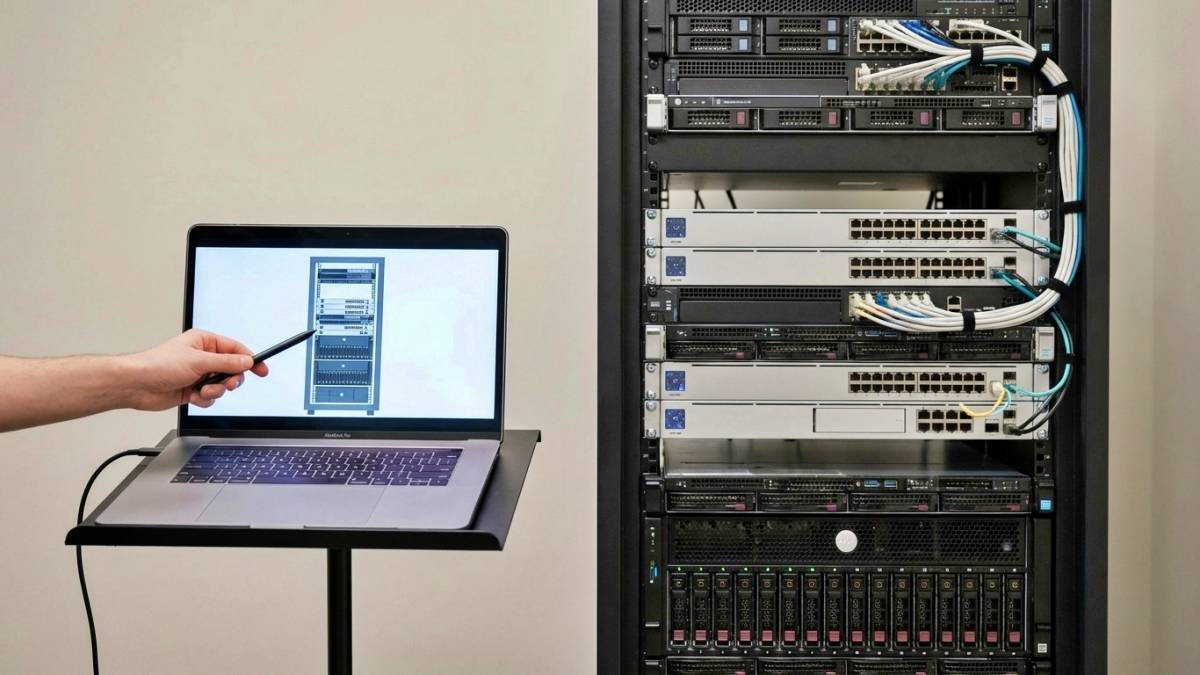
- Create detailed rack elevation diagrams showing equipment placement, power connections, and network connectivity
- Document power consumption for each piece of equipment
- Maintain an inventory of spare rack units and plan for future equipment
- Use consistent naming conventions that make logical sense to your team
- Keep both digital and physical copies of your documentation
- Update documentation immediately when changes are made: not “when you get around to it”
- Include warranty information, support contacts, and service schedules in your documentation
- Take photos of your final rack configurations for quick visual reference
Pro tip: Treat your documentation like a disaster recovery plan, because when something goes wrong, it essentially becomes one.
Mistake #4: Incorrect Security Configurations
The Problem: Companies either over-configure security (creating operational headaches) or under-configure it (creating actual security vulnerabilities), often because they don’t fully understand the shared security responsibilities in a colocation environment.
The Real-World Impact: Over-configured security might mean your team can’t access equipment when needed, while under-configured security could lead to unauthorized access or compliance failures. Both scenarios create problems, just different types.
How to Dodge It:
- Clearly understand what security the colocation provider handles versus what you’re responsible for
- Configure cabinet locks and access controls appropriately: not every team member needs 24/7 access
- Implement proper network segmentation and firewall rules from day one
- Set up monitoring and alerting for unauthorized access attempts
- Create documented procedures for granting and revoking access
- Regularly audit access logs and review security configurations
- Plan for emergency access scenarios: what happens when the primary contact is unavailable?
- Understand the facility’s visitor policies and escort requirements
The goal is layered security that protects your assets without creating operational barriers to legitimate access.
Mistake #5: Not Testing Failover Procedures
The Problem: Companies assume their failover systems will work perfectly when needed, but they never actually test them in the colocation environment until a real emergency occurs.
The Real-World Impact: During an actual outage, you discover that your failover procedures don’t work as expected in the new environment, or, worse, your team isn’t sufficiently familiar with them to execute them under pressure.
How to Dodge It:
- Schedule comprehensive failover testing during a planned maintenance window
- Test all aspects: power failover, network failover, application failover, and data backup/recovery
- Document the actual results versus expected results and adjust procedures accordingly
- Train your entire team on failover procedures, not just one person
- Create runbooks with step-by-step instructions that anyone can follow
- Test communication procedures: how will your team coordinate during an actual emergency?
- Verify that monitoring systems properly alert during failover scenarios
- Practice with your colocation provider’s emergency contacts and procedures
Regular testing isn’t just about verifying that systems work: it’s about building muscle memory for your team so they can respond confidently when every second counts.
The Bottom Line
These mistakes are widespread, but they’re also completely preventable with the right approach. The key is treating your colocation setup as a long-term infrastructure investment rather than a one-time deployment project.
Take the time to plan thoroughly, document everything, and test your systems before you need them. Your future operations team (which might be you) will appreciate the effort you put in upfront.
Remember, colocation is about more than just racking equipment: it’s about creating a reliable, maintainable, and scalable infrastructure foundation for your business. Avoiding these rookie mistakes puts you well on your way to achieving precisely that.
Ready to set up your colocation deployment the right way from the start? Contact our team for expert guidance tailored to your specific needs.