The Wake-Up Call Nobody Wants
It’s 2 AM on a Saturday. You’re dead asleep, dreaming about literally anything other than work. Then your phone buzzes. And buzzes again. And again.
Your monitoring system is screaming. A server went down. It could be a hung process, or maybe the thing needs a reboot to clear a critical error. Either way, here’s the cold, hard reality: unless you can do the needed thing remotely, someone has to walk over to that machine and push a button.
If your servers live in a closet down the hall in your office building, that someone is you. At 2 AM on a Saturday, and it just started raining hard.
Sound familiar? If you’re an IT manager in Sacramento (or anywhere, really), you’ve probably lived some version of this nightmare. And if you haven’t yet, it’s only a matter of time.
But here’s the thing: it doesn’t have to be this way.
Enter Remote Hands: Your New Best Friend
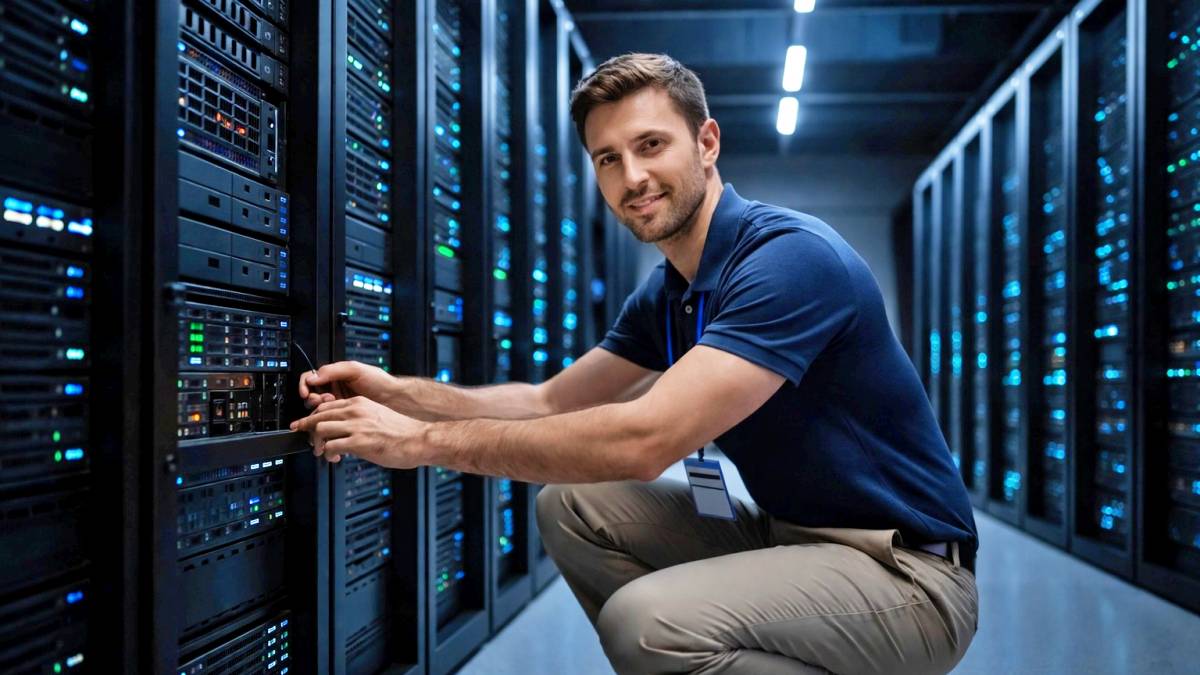
“Remote Hands” is as simple as it is valuable. When you colocate your servers at a professional data center like Datacate, you get access to on-site technicians who can do the physical stuff for you. Need someone to power cycle a server at 3 AM? Remote Hands. Need someone to swap out a failed network cable? Remote Hands. Need someone to check if a drive light is blinking red? Remote Hands.
Instead of you driving across town in your bathrobe, a trained technician who’s already on-site handles it. They’re awake. They’re caffeinated. They’re wearing pants. And most importantly, they’re already there.
What Can Remote Hands Actually Do?
Let’s break down the kinds of tasks that fall under the Remote Hands umbrella. These are the bread-and-butter requests that save IT managers countless hours (and gallons of gas) every year:
- Power cycling and reboots: Something’s frozen and unresponsive, and the only fix is the IT equivalent of “turn it off and back on again.” A quick call or ticket, and it’s done.
- Cable management: Need a network cable swapped? A connection moved from port 12 to port 15? A power cable unplugged and re-seated? All handled.
- Visual inspections: Sometimes you just need eyes on the hardware. Is that status light green or red? Is there visible damage? Is the server actually, you know, there? Remote Hands can check and report back.
- Hardware installation and removal: Got a new hot-swap hard drive shipped to the facility? Remote Hands can pull the old one and pop in the new one for you. Need to pull old equipment out of the rack? Same deal.
- Basic troubleshooting: While complex repairs might need more specialized help, Remote Hands can handle the first-response stuff: checking connections, verifying power, and running through basic checklists.
- Shipping and receiving: Need to send a piece of equipment to the data center? They’ll receive it, inventory it, and let you know when it arrives. Need something shipped out? They’ve got you covered.
The Hidden Cost of “I’ll Just Do It Myself”
Here’s where many IT managers get tripped up. They think, “I can just drive over there if something breaks. It’s not that far.” Let’s do some quick math on that.
Say your data center is 30 minutes from your house (and that’s optimistic for a lot of Sacramento folks, depending on traffic). A round trip is an hour of driving, plus however long you spend on-site. For a simple reboot, you’re looking at a minimum of 90 minutes, door-to-door.
Now factor in the following:
- Your time: What’s an hour of your time worth at 2 AM on a Saturday? More than you’re paying yourself.
- Gas and wear on your car: Not huge, but it adds up.
- The stress: There’s a real cost to being “always on call.” Burnout is expensive.
- The risk: Are you really at your sharpest at troubleshooting complex systems when you’re half-asleep and annoyed?
Now multiply that by every after-hours incident over the course of a year. Suddenly, that “free” server closet at the office doesn’t look so cheap anymore.
Remote Hands flips the equation. For a predictable fee (usually outlined in a service-level agreement with clear response times), you get 24/7 coverage without the 2 AM road trip. You can troubleshoot from your couch, issue a ticket, and go back to sleep while someone else handles the physical work. Depending upon your service agreement, it might even be free.
That’s not laziness. That’s efficiency.
Remote Hands vs. Smart Hands: What’s the Difference?
You might hear the term “Smart Hands” or “Professional Services” thrown around, and it’s worth knowing the distinction.
- Remote Hands covers the basic, routine physical tasks: reboots, cable swaps, visual checks, and simple installations. It’s the “be my hands” service.
- Smart Hands steps it up a notch. This is for more complex work that requires technical expertise: advanced troubleshooting, hardware diagnostics, configuring network equipment, or multi-step installations that need someone who really knows what they’re doing.
- Think of it this way: Remote Hands is asking someone to flip a switch. Smart Hands is asking someone to figure out which switch to flip and why.
Most colocation providers, including Datacate, offer both. For the majority of after-hours emergencies, Remote Hands is all you need. But it’s nice to know Smart Hands is there for the tricky stuff.
Why Sacramento IT Managers Are Making the Switch
Here’s the reality: managing IT infrastructure is getting more complicated, not less. You’re juggling security, compliance, uptime requirements, and a million other priorities. The last thing you need is to be personally responsible for every physical interaction with your hardware.
Colocation with Remote Hands support lets you offload that burden. Your servers live in a facility that’s designed for them: proper cooling, redundant power, physical security, the works. And when something needs a human touch, there’s already a human there, ready to help.
For IT managers in the Sacramento area, this is a game-changer. Instead of being tethered to your server closet, you get freedom. You can take a weekend off. You can go on vacation without your laptop glued to your hip. You can actually sleep through the night.
And when something does go wrong? You handle it from wherever you are, and Remote Hands handles the rest.
The Bottom Line
Remote Hands isn’t some fancy, enterprise-only luxury. It’s a practical, everyday service that makes managing IT infrastructure dramatically less painful.
If you’ve ever driven to the office at a ridiculous hour to push a button, swap a cable, or stare at a blinking light, you already know the value. Remote Hands means you don’t have to do that anymore. Your servers get taken care of. Your weekends stay yours. And that 2 AM phone call? Still annoying, but at least you can deal with it from bed. That’s the kind of perk that makes colocation worth it: even before you factor in the cooling, the power, and the security.
So the next time your server throws a tantrum at midnight, ask yourself: do you really want to put on pants for this?