When you walk through a data center, those neat rows of blinking servers might look simple enough. But behind every well-organized rack lies a careful science that determines whether your hardware stays cool and reliable or overheats and fails at the worst possible moment.
For colocation customers, understanding proper racking and stacking isn’t just about fitting more gear into your space. It’s about maximizing uptime, preventing costly outages, and getting the most performance from every piece of hardware you deploy.
The Physics Behind the Rack
Data center racking follows fundamental principles of physics that directly impact your bottom line. Heat rises, cold air sinks, and airflow follows the path of least resistance: these aren’t just science class concepts; they’re the foundation of keeping your servers alive.
Modern data centers use hot aisle/cold aisle configurations for good reason. Cold air flows from the raised floor through perforated tiles into the cold aisles, where servers intake the cooled air. The heated air then exhausts into hot aisles and returns to the cooling system. When you rack equipment incorrectly, you disrupt this carefully engineered airflow pattern.
The most common mistake? Installing servers backwards or mixing intake and exhaust orientations within the same rack. This creates hot air recirculation that can push server temperatures beyond safe operating limits, triggering thermal shutdowns and reducing hardware lifespan.
Strategic Equipment Placement for Maximum Cooling
Heavy, power-hungry servers belong at the bottom of your rack, but not just because of weight distribution. Heat-generating equipment at the bottom means cooler intake air reaches your most demanding hardware first, before it’s warmed by upstream equipment.
Place your highest-wattage servers (typically blade servers and high-density compute nodes) in the bottom third of your rack. Network switches and storage systems with moderate power consumption work well in the middle section. Low-power devices like KVM switches, patch panels, and management appliances can occupy the top positions where air temperatures run slightly higher.
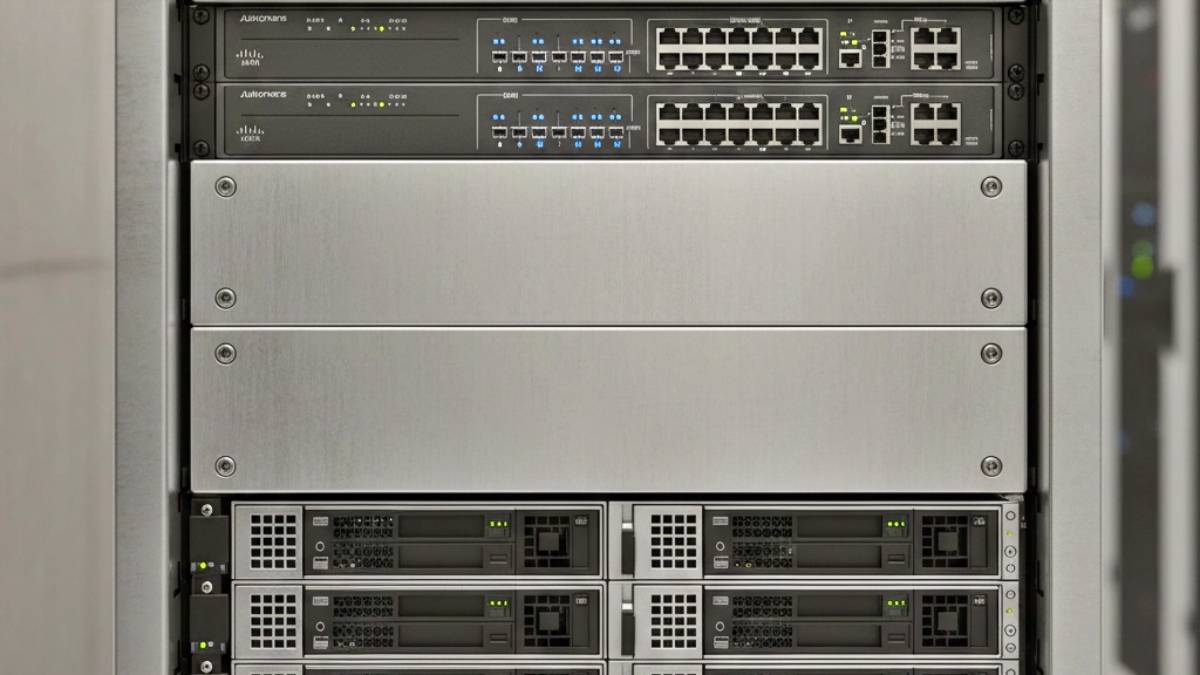
Blanking panels aren’t optional: they’re critical cooling infrastructure. Every unused rack unit should have a blanking panel installed. Without these panels, conditioned air bypasses your equipment and recirculates as hot air, forcing your cooling systems to work harder while your servers run hotter.
For high-density deployments, consider leaving strategic gaps between heat-generating equipment. A single rack unit of blank panel space between servers can significantly improve airflow and reduce hot spots, especially when you’re running equipment near maximum capacity.
Power Distribution Strategy
Your power distribution strategy directly impacts both safety and cooling efficiency. Spread power loads evenly across both A and B power feeds when using redundant power supplies. This approach provides fault tolerance and prevents overloading individual circuits.
Position your rack-mounted power distribution units (PDUs) vertically along the rear of the rack when possible. This placement keeps power cords shorter and prevents them from blocking airflow paths. Horizontal PDU mounting works for lighter loads but can create cable management challenges that impede cooling.
Monitor power consumption at the rack level, not just the device level. Most colocation providers offer smart PDUs that provide real-time power monitoring. Use this data to identify when you’re approaching circuit capacity limits: running circuits above 80% capacity isn’t just an electrical code violation, it generates excess heat that your cooling systems must handle.
Cable Management That Actually Works
Professional cable management isn’t about aesthetics: it’s about maintaining airflow and preventing service disruptions. Cables blocking server intakes or exhaust ports can cause localized hot spots that trigger thermal alarms, even when overall rack temperatures seem acceptable.
Use vertical cable management arms on both sides of your rack to route power and data cables away from airflow paths. Bundle cables loosely rather than tightly: compressed cable bundles trap heat and can make individual cable identification difficult during maintenance.
Route power cables separately from data cables when possible. Power cables generate electromagnetic interference that can affect sensitive network connections, and separating them makes troubleshooting easier when problems arise.
For server connections, use the shortest cable lengths practical for your installation. Excess cable length creates cable management problems and restricts airflow, while cables that are too short create stress on connections that can lead to intermittent failures.
Weight Distribution and Structural Safety
Data center racks have weight limits for good reasons: exceeding them creates safety hazards and can damage raised floor systems. Most standard 42U racks support 2,000-3,000 pounds of static load, but dynamic loading (equipment installation or removal) reduces this capacity.
Distribute weight evenly throughout your rack height rather than concentrating heavy equipment in specific sections. A rack loaded entirely with blade servers in the bottom 10 rack units creates an unstable configuration that’s difficult to service and potentially dangerous during maintenance.
Use proper rack mounting hardware for every piece of equipment. Cheap or improperly installed mounting screws can fail under the weight of the equipment, causing servers to fall and potentially damage equipment below them. Server-specific mounting rails aren’t just manufacturer recommendations; they’re engineered to safely handle specific equipment weights and dimensions.
Environmental Monitoring and Maintenance
Install temperature and humidity sensors at multiple points within your rack: inlet, middle, and exhaust positions provide the complete picture of your thermal environment. Many colocation customers rely solely on facility-level environmental monitoring, but rack-level data reveals hot spots and airflow problems that facility systems miss.
Set up alerting thresholds that give you warning before problems become critical. Server inlet temperatures consistently above 75°F (24°C) indicate cooling problems that need attention, while temperatures above 85°F (29°C) put equipment at risk for thermal shutdown.
Perform quarterly rack audits to verify that equipment configurations match your documentation, blank panels remain in place, and cable management hasn’t deteriorated over time. Equipment changes and additions gradually degrade optimal configurations unless you actively maintain them.
Clean equipment air filters regularly based on your data center’s environmental conditions. Clogged filters reduce airflow and force equipment fans to work harder, increasing power consumption and generating more heat in the process.
Safety Protocols That Prevent Disasters
Never work alone when installing or removing heavy equipment from racks. Server equipment weights combined with awkward rack positions create injury risks that proper lifting techniques alone cannot eliminate. Most colocation facilities require two-person teams for equipment moves above specific weight thresholds.
Use proper lifting equipment for heavy installations. Server lift devices aren’t expensive compared to worker compensation claims or equipment damage from dropped servers. Many colocation providers offer equipment lifting services or loan lifting devices to customers.
Shut down equipment properly before installation or removal activities. Hot-swappable components are designed for live replacement, but full server installations should be performed with equipment powered down to prevent damage from power supply backfeed or accidental short circuits.
Label everything clearly: power connections, network ports, and equipment identification. In emergencies, clear labeling prevents mistakes that can expand outages beyond the original problem scope.
Standards and Compliance Considerations
Follow industry standards like ANSI/TIA-942 for data center design and EIA-310 for rack specifications. These standards exist because they codify lessons learned from thousands of data center deployments and equipment failures.
Maintain proper clearances around your rack installation. Most jurisdictions require 36 inches of clearance in front of electrical panels and adequate access for maintenance activities. Colocation providers typically specify minimum aisle widths and equipment clearances in their facility guidelines.
Keep current documentation of your rack configurations, including equipment models, serial numbers, power consumption, and network connections. Accurate documentation speeds troubleshooting and helps facility staff respond appropriately during emergency situations.
The Bottom Line: Reliability Through Science
Proper racking and stacking isn’t complex, but it requires understanding the scientific principles that govern thermal management, power distribution, and structural safety in data center environments. When you get these fundamentals right, your equipment runs cooler, consumes less power, and delivers better reliability.
The investment in proper racking practices pays dividends through reduced maintenance calls, extended equipment life, and most importantly: fewer unexpected outages that impact your business operations. In shared colocation environments, your racking decisions affect not just your equipment, but the entire facility’s efficiency and everyone else’s uptime.
Smart racking and stacking transforms your rack from a simple equipment holder into an engineered system that actively supports your hardware’s performance and longevity. That’s the hidden science that separates reliable deployments from costly mistakes.